 AroFlo
 Fergus
 ServiceM8
 Simpro
Review
Tradify review (2026): pricing, pros and cons, and who it suits
Tradify reviewed for Australian and NZ tradies: real per-user cost and GST, what's on each plan, the app ratings, no offline mode or API, GeoOp, and who should pick it.
By Dan Edwards · Updated
Some links on this page earn a commission if you sign up. It never changes the order or the verdict. How we keep the lights on.
On this page
- What is Tradify?
- Tradify pricing in Australia (2026)
- Tradify pros: what it does well
- Tradify hands-on test: one job from quote to invoice
- Getting website enquiries into Tradify
- Tradify cons: where it falls short
- GeoOp and GeoNext users moving to Tradify
- Tradify in New Zealand
- Who is Tradify best for?
- Tradify FAQs
We used Tradify’s 14-day trial from 30 October 2026, with every feature switched on: the web app on a Mac, the app on an iPhone, and the Android app on an Android emulator. We set up the same made-up Brisbane plumbing business we used for our ServiceM8 review, quoted the same job, had the “customer” accept it online, booked it, ran it on the phone and invoiced it. We also connected it to a Xero demo company, tested it with no internet connection and asked support a question.

Short answer
Tradify
Tradify is the easiest job app to pick up, and its users rate it higher than any other job app on every app store we checked. Best for sole traders and crews of up to about five who are always in mobile range.
A$52 per user a month ex GST
Pro, the plan most businesses need. No GST is added if you're GST-registered. Lite is A$48 but has no job photos, online quote acceptance or timesheets. Staff who never use the app are A$11.
Why pick it
- Easy to learn, and the best-rated job app on every store we checked: 4.73 on the App Store and 4.77 on Google Play.
- GST and time zone right from the first quote, and a checklist walks you through the rest of your setup.
- Progress invoicing with deposits and retentions on Pro, which the cheaper apps often lack.
- Invoices reached Xero the moment we approved them. Also syncs with MYOB and QuickBooks.
- A phone line, free setup and training, and Tradify called us the day we signed up.
Trade-offs
- No offline mode. With no signal the app wouldn't open in our test, and a new note wouldn't save. ServiceM8 and Simpro work offline, and Fergus and AroFlo save notes offline.
- No API, webhooks or Zapier. Your website form, call tracking or CRM can't create jobs; email is the only way in. ServiceM8, Fergus, AroFlo and Simpro all have an API.
- Per-user pricing. A crew of three pays A$156 a month ex GST on Pro, about twice ServiceM8's A$71.82 for the whole business.
- No stock control. Purchase orders are only on Plus, at A$62 a user. Simpro and AroFlo track stock levels.
SFT score breakdown6 parts
- Price and value6.5
25% of the score. A$52 per user on Pro, so a crew of three pays about twice ServiceM8. Staff without a login are A$11. Lite has no job photos, online quote acceptance or timesheets.
- Quote to invoice7.5
25% of the score. Quoting, online acceptance and invoicing from the quote are quick, with good progress-billing options. But nothing works offline, and the job didn't move on when the customer accepted.
- Setup7.5
10% of the score. GST and time zone right from the start, and a setup checklist. But the labour rate starts at A$0, the logo isn't on the checklist, and emails stay blocked until you turn on two-step login.
- Phone apps7
15% of the score. The best-rated app on every store, and gallery photos work on iPhone and Android. No offline mode, the timer is manual, and our Android emulator froze twice on photos.
- Xero8
15% of the score. Invoices reached Xero the moment we approved them and a payment came back within eight minutes. Connecting also overwrote our business name, ABN and time zone with Xero's.
- Support and your data7
10% of the score. A phone line, and a call the day we signed up. Chat took 11 minutes to answer during business hours. Customers, jobs and timesheets export to a file.
Free trial: 14 days, no card, no lock-in. We tested it hands-on from 30 Oct 2026.
Our take. Tradify is easy to set up and easy to use. A new account charges GST correctly from the first quote, and a checklist on the home screen walks you through the rest of your setup. Quoting, booking and invoicing are simple, and the Xero sync was instant. Two things hold it back. It stops working when you lose signal: with no connection the app wouldn’t open, and a note we’d typed wouldn’t save. And per-user pricing adds up: a three-person crew pays about twice what it would on ServiceM8. We’d tell a sole trader or a crew of two or three who are always in range to try it. For a bigger crew, or anyone working where the signal drops out, start with ServiceM8.
Searching for this? Make sure you’ve got the right one. Tradify (tradifyhq.com) is the job management app. Tradeify is an unrelated futures trading firm, and some review and pricing results mix the two up.
What is Tradify?
Tradify is job management software for trade businesses: quotes, scheduling, job cards with photos, timesheets, invoices and payments, on a phone app and in a web browser. It started in New Zealand, and since October 2024 it’s been owned by The Access Group, a UK software company. In February 2025 Access also bought GeoOp and GeoNext and has been moving their customers onto Tradify (more on that below).
Tradify says more than 60,000 tradies use it. It’s built for businesses from one person to about 20.
Tradify pricing in Australia (2026)
You pay per user, per month (Tradify pricing, checked 26 October 2026):
| Plan | Per user, per month (ex GST) | What it adds |
|---|---|---|
| Lite | A$48 | Jobs, scheduling, quotes, invoices, card payments, Xero/MYOB/QuickBooks sync |
| Pro | A$52 | Your branding, an enquiry form and inbox, job photos and files, recurring jobs, quote options with online acceptance, progress invoicing with deposits and retentions, timesheets, compliance certificates and safety forms |
| Plus | A$62 | AI tools for reading supplier bills, purchase orders, service reminders, job tasks, bulk invoicing, kits, reporting |
| Custom | By request | Larger teams |
There’s a 14-day free trial with every feature and no card, and it’s month to month with no contract.
GST. Tradify bills from New Zealand. If your Tradify account is registered for GST (ABN on file), Tradify doesn’t charge GST; you account for it yourself under the reverse charge. If you’re not registered, Tradify adds 10% (Tradify help, updated 20 October 2026). So for most trade businesses the listed price is the price.
Most businesses need Pro. Lite doesn’t include job photos, online quote acceptance, progress invoicing or timesheets.
Staff who never use the app. Tradify has a separate price for “staff without login access”: A$11 a user a month, against A$52 for a full Pro user. Staff without a login can be scheduled and get their jobs by email, but can’t log their own time or photos. Tradify doesn’t show that price on its pricing page; we found it on the billing screen inside our trial.
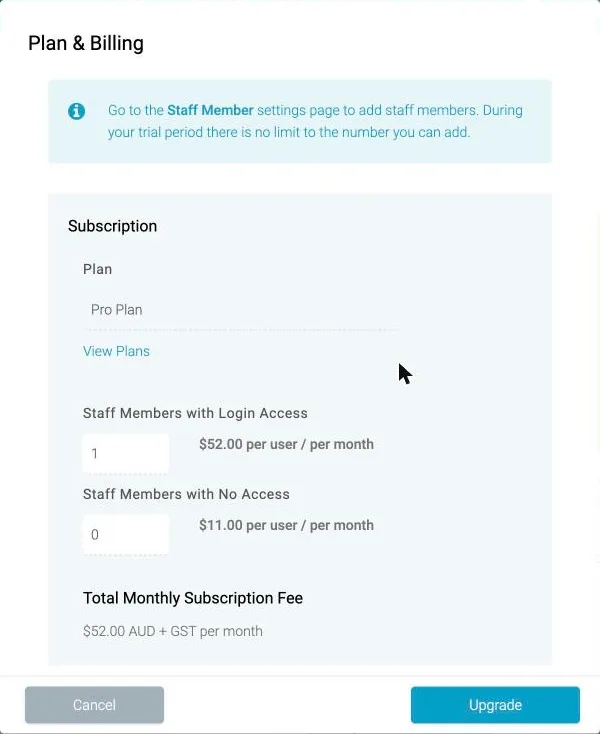
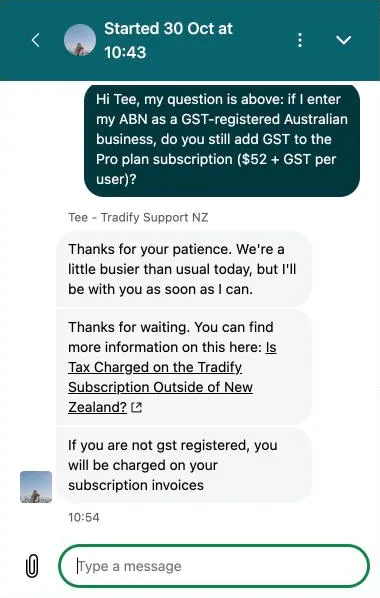
The billing screen showed “A$52.00 AUD + GST per month” because our trial had no ABN on file. We asked Tradify’s support whether that changes once you add an ABN. They pointed us to the same help article: with an ABN on file and GST registration ticked, no GST is added.
Extras: SMS quotes, invoices and reminders are 20c a message. A basic website (“Instant Website”) is A$19 a month.
Tradify cost by team size
Subscription, per month, on Pro:
| Team | Tradify Pro | ServiceM8 (for comparison, ex GST) |
|---|---|---|
| 1 person | A$52 | A$26.36 (Starter, up to 50 jobs) |
| 3 people | A$156 | A$71.82 (Growing, up to 150 jobs) |
| 6 people | A$312 | A$135.45 (Premium, up to 500 jobs) |
Per-user pricing is fine for one or two people. By six, Tradify costs more than twice ServiceM8.
Card payments cost 1.9% plus 30c (including GST) for standard Australian cards. Since 1 October 2026 you can’t surcharge eftpos, Mastercard or Visa payments in Australia, so that comes out of your price. Tradify’s help pages still describe a surcharge setting; check it’s off.
Tradify price increases since 2020
Tradify had one plan at A$39 a user in 2020 and 2021. It rose to A$42 in 2023, A$45 at the end of 2023, then split into three plans (A$45, A$49, A$59) in 2024, and moved to A$48, A$52 and A$62 in January 2025. No change since. A couple of Google Play reviews from early 2024 complain about paying more after features moved to higher plans.
Tradify pros: what it does well
It’s easy to learn. Every review we read says so, and users back it up: Tradify has the best ratings of the seven job apps we track on every store.
| Where | Tradify rating |
|---|---|
| Apple App Store (Australia) | 4.73 from 4,108 ratings |
| Google Play (worldwide) | 4.77 from 3,142 ratings |
| Xero App Store (Australia) | 4.64 from 187 reviews |
| Capterra | 4.7 from 152 reviews |
| Trustpilot (Australia) | 4.8 from 616 reviews |
Of Tradify’s 153 written app-store reviews since 2024 that we pulled, 23 (15%) were 1 or 2 stars, the lowest share of any app we checked. ServiceM8’s was 46%.
Progress invoicing with retentions on Pro, which the cheaper apps often lack. Useful for small renovation and fit-out jobs paid in stages.
Accounting sync. Tradify syncs invoices, payments and credit notes with Xero, sends bills, customers and suppliers across, and marks invoices paid when they’re reconciled in Xero. It also works with MYOB and QuickBooks Online. See job management software that works with Xero.
Tradify hands-on test: one job from quote to invoice
Tradify setup: what signing up asks
Signing up took two to three minutes. Tradify asks for your email, then your name, business name, state and a password. Then come three short screens:
- how many people work in the business and how many are on the tools;
- which feature matters most to you;
- which accounting software you use.
Picking Xero offers to connect it straight away (you can skip this). Tradify also offered a Reece price list, already ticked; it says the prices are indicative and assume a 20% markup. It never asked our trade, logo, ABN or GST status.
The defaults are better than ServiceM8’s. GST at 10% is set as the default tax rate, so our first quote charged GST correctly without any setup. The time zone was set to Brisbane.
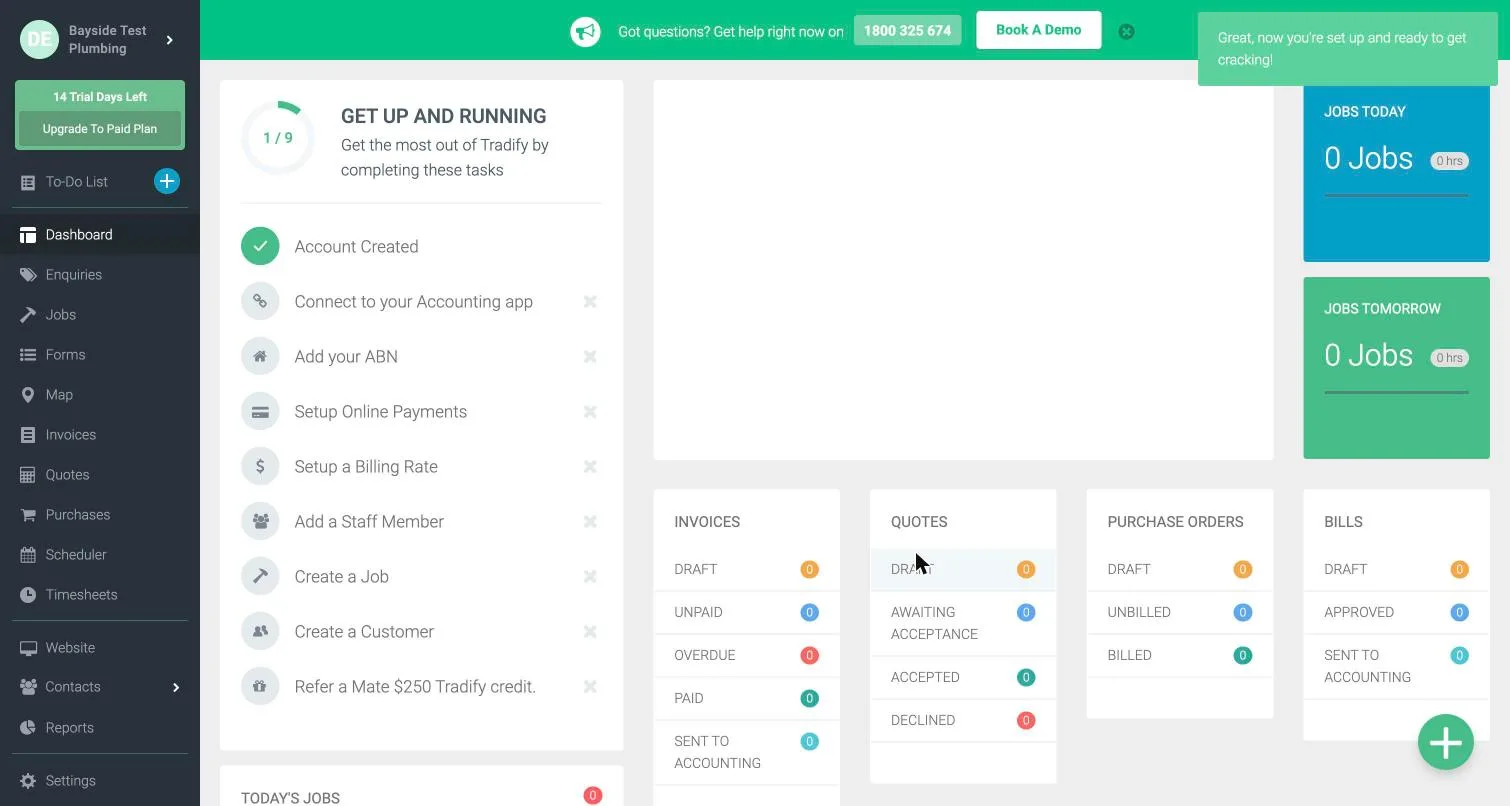
The home screen opens on a “Get up and running” checklist of nine steps:
- connect your accounting app;
- add your ABN;
- set up online payments;
- set up a billing rate;
- add a staff member;
- create a job;
- create a customer;
- refer a mate.
That’s the setup checklist we wished ServiceM8 had. It doesn’t include your logo, which lives under Settings → Document Themes. Putting your logo on quotes and invoices needs Pro or Plus.
Three things to know before your first quote:
- Set your labour rate. The standard labour rate starts at A$0. Add labour to a quote, or invoice your time, before you’ve set it and that line comes out at A$0.
- Turn on two-step login to send emails. Our first attempt to email a quote was blocked with “To start sending emails, please first set up 2-Step Security.” It’s a quick setup with your mobile, but nothing warns you until you try to send.
- Texts aren’t included in the trial. Sending a quote or reminder by text shows “Upgrade to Unlock”. On a paid plan they’re 20c each.
Quoting a job in Tradify
From a blank account, adding the customer, creating the job and building the quote took about eight minutes. That’s slower than ServiceM8, mostly because the job and quote are separate screens. The quote has Miscellaneous, Time and Price List lines with cost, markup and margin columns. Our A$289 tap plus A$120 of labour came to A$409 plus A$40.90 GST: A$449.90. Quotes are valid for 30 days by default, and you can switch on email or text reminders for each quote.
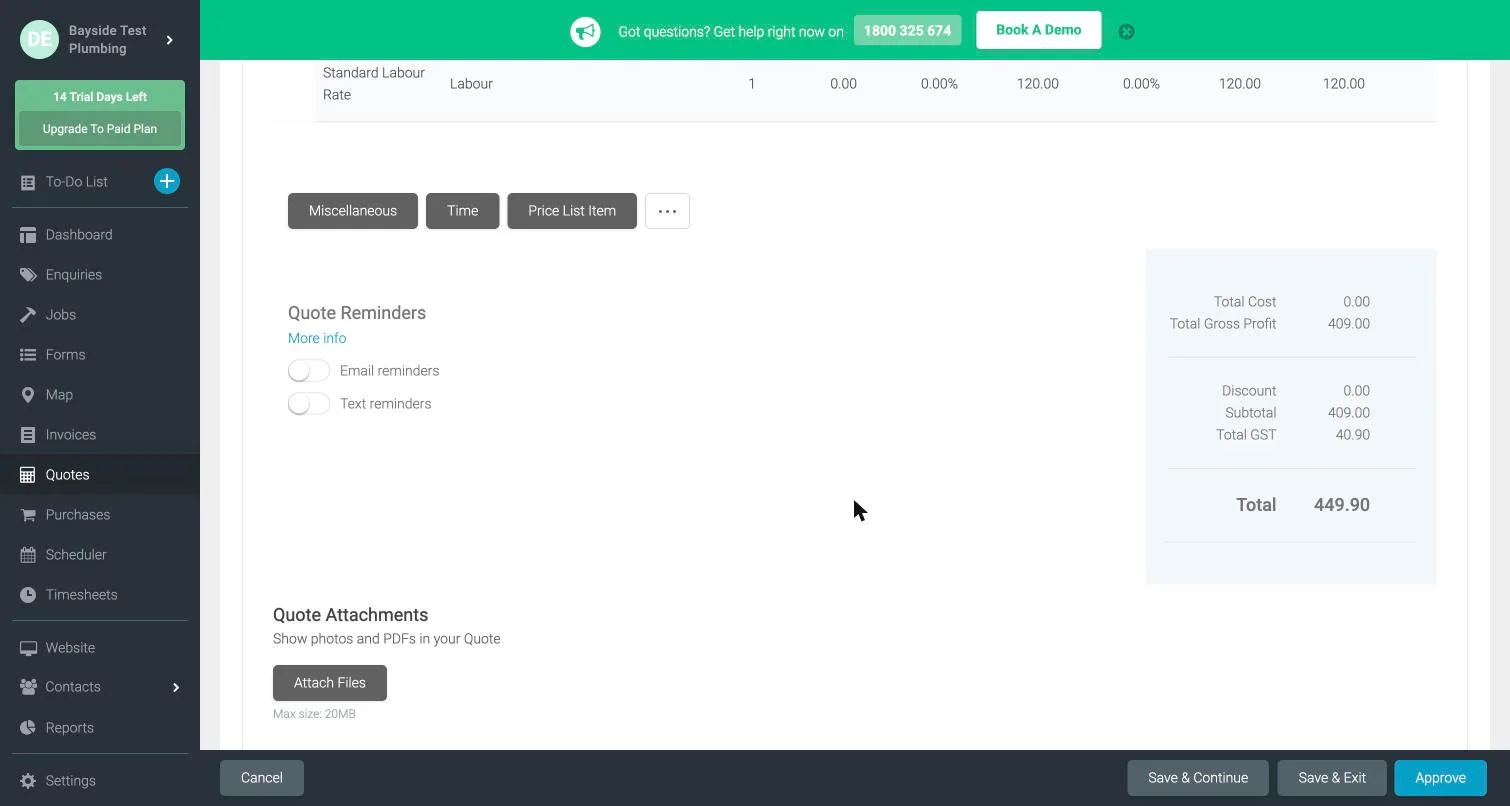
Tradify’s AI writing tool, SmartWrite, wrote a quote description from the line items in about five seconds. It was generic, and it said “install” when the job was a replacement, but it was a usable starting point. It can also fix spelling, change the tone and tidy up text you’ve written.
What the customer sees
The quote email arrived within a minute, from “Bayside Test Plumbing” via Tradify’s mail server. It has View Quote, Accept and Decline buttons in the email itself. The default wording is plain: “Quotation QT00001 is ready for your review.” By default it sends a tracked link rather than a PDF attachment, so you can see when the customer has opened it.
The quote page shows the total and expiry date at the top, with Accept, Decline, a message button and a download button. Without a logo, the PDF shows the business name as plain text. That’s tidier than ServiceM8’s grey “Your Company Logo Here” box. But the quote had no ABN, phone number, email or address for the business anywhere on it, so fill those in before your first quote goes out.
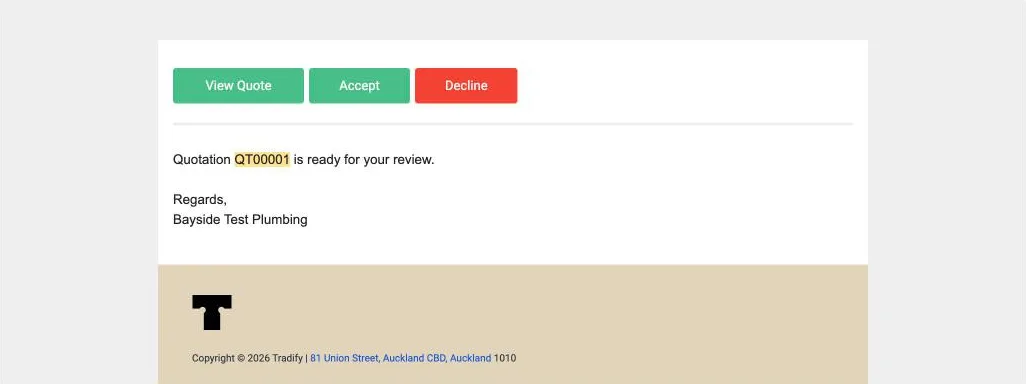
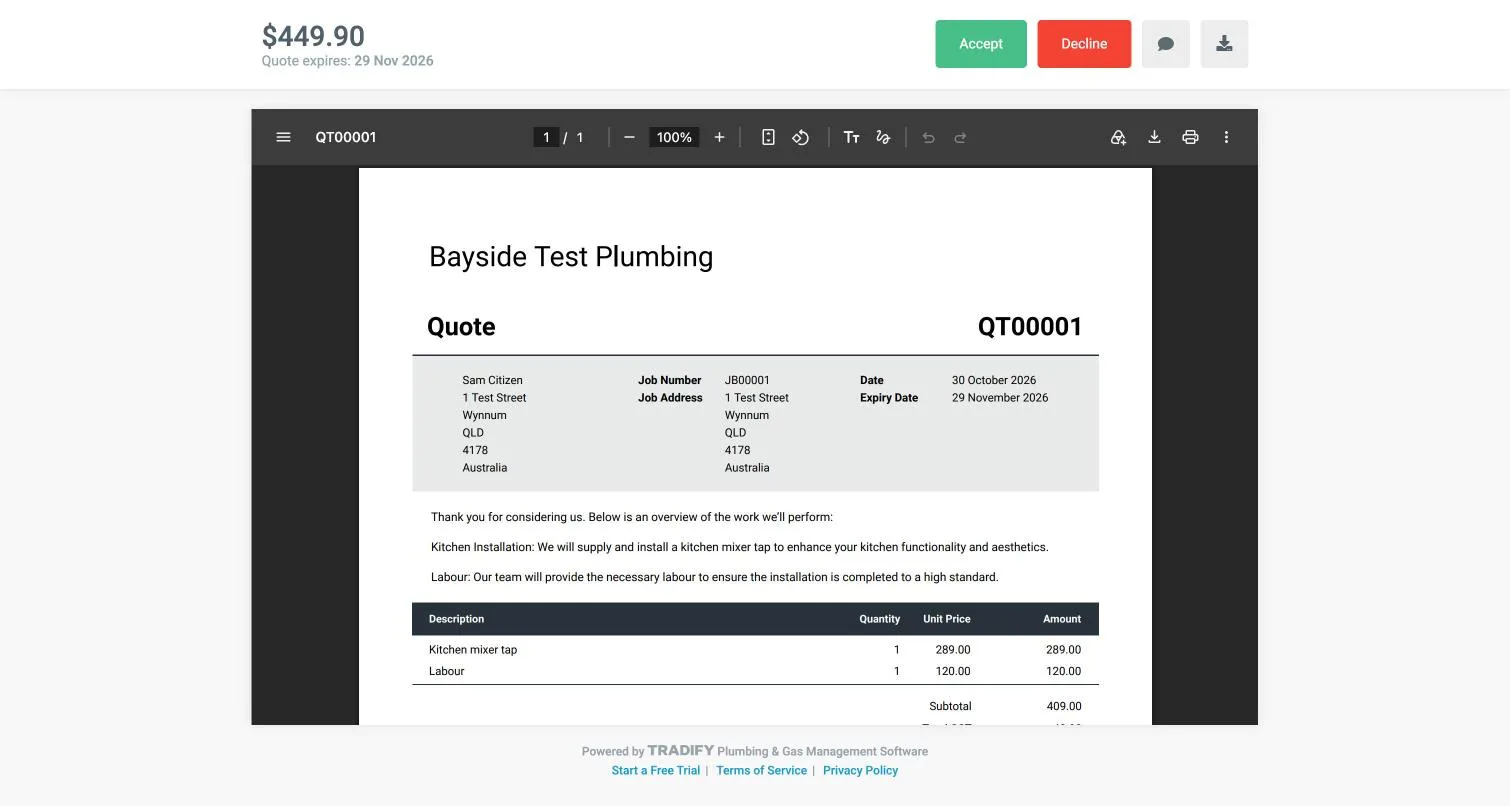
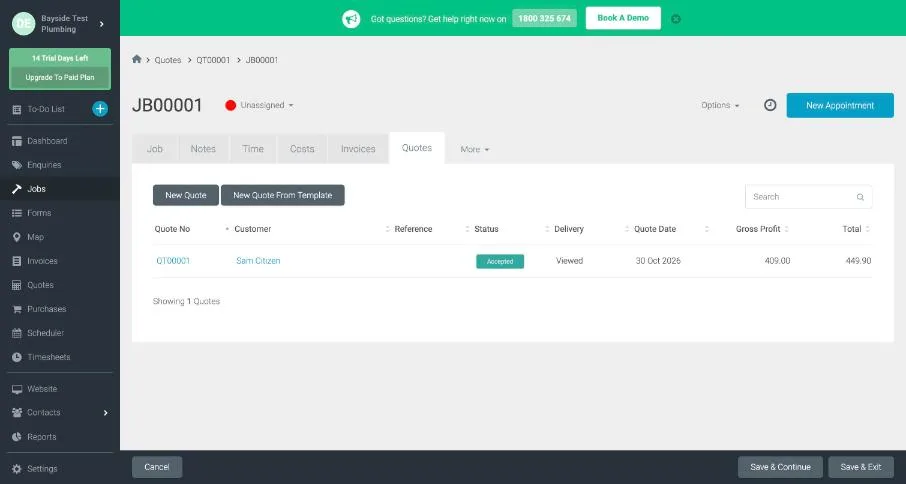
Accepting is one click and an “Are you sure?” box: no signature, no name and no terms to tick. ServiceM8 asks for a typed signature. Tradify emailed us within a minute to say the quote was accepted, and marked it Accepted and Viewed. The job itself stayed “Unassigned” until we booked it.
Booking the job
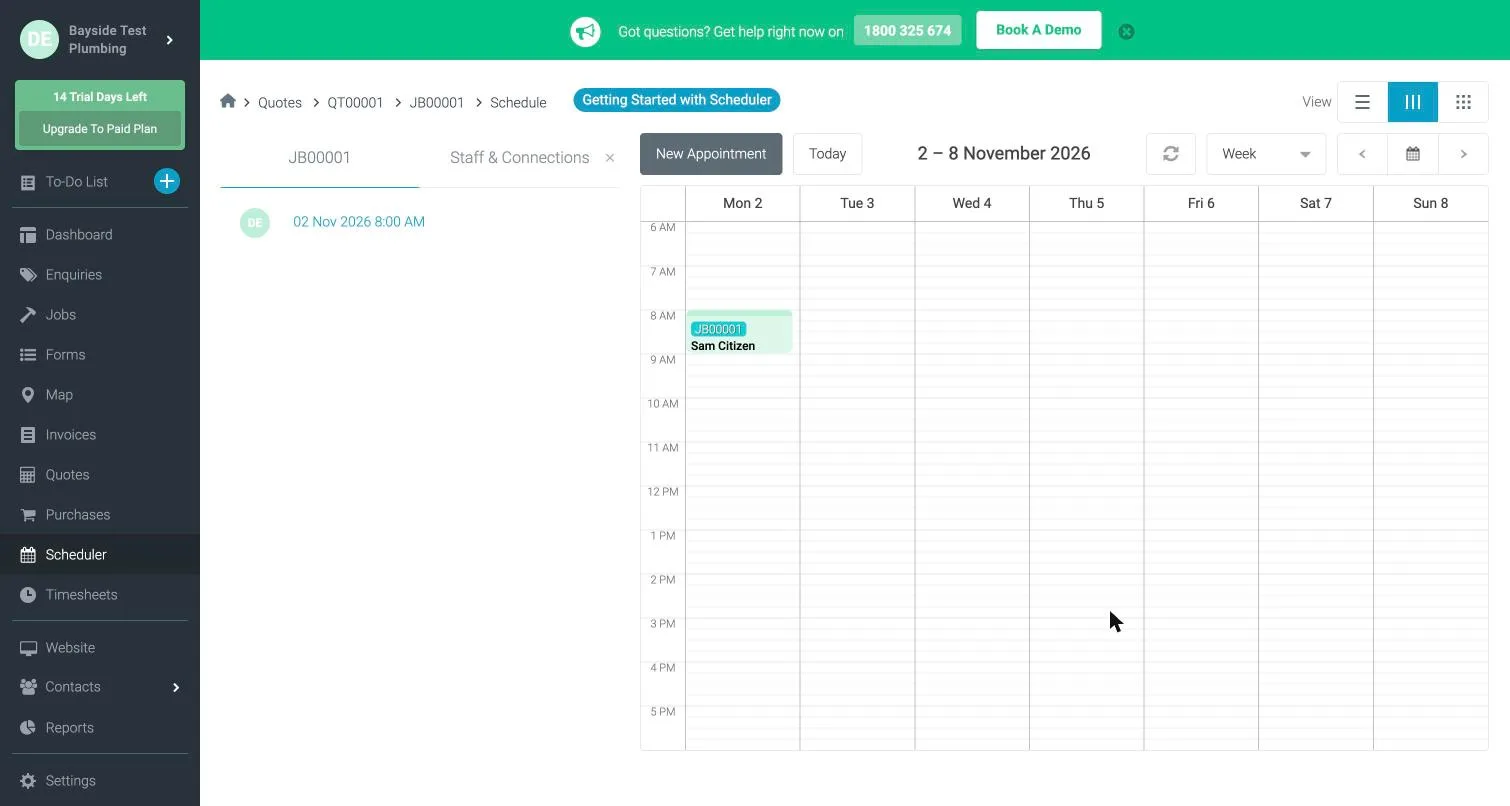
Booking opens the scheduler with a New Appointment window. You set the start and end time and the staff member. It doesn’t suggest free times the way ServiceM8 15’s booking window does. A confirmation email to the customer is ticked by default. Ours arrived within a minute with the job number, time and address, though it came from the staff member’s name rather than the business. Text reminders are locked on the trial.
Tradify app on iPhone and Android
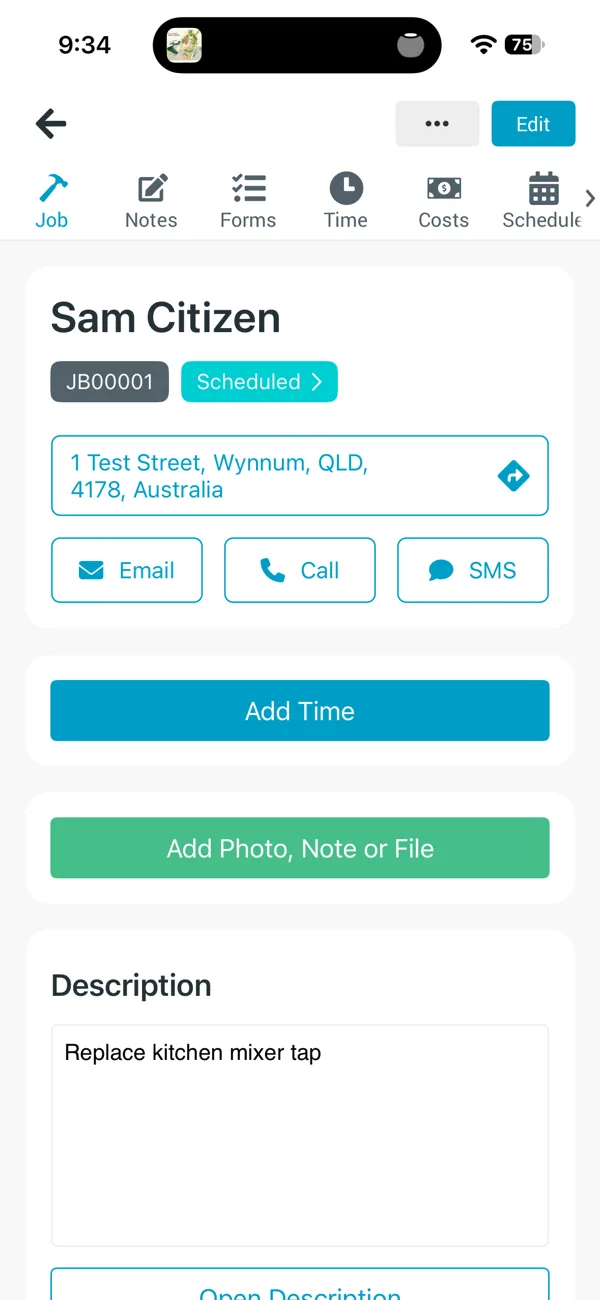
The iPhone and Android apps are the same app. Each job has Email, Call and SMS buttons, a big Add Time button and Add Photo, Note or File.
- Time is manual. You start, pause and stop a timer, or type in a timesheet. There’s no GPS clock-on or automatic travel time like ServiceM8’s.
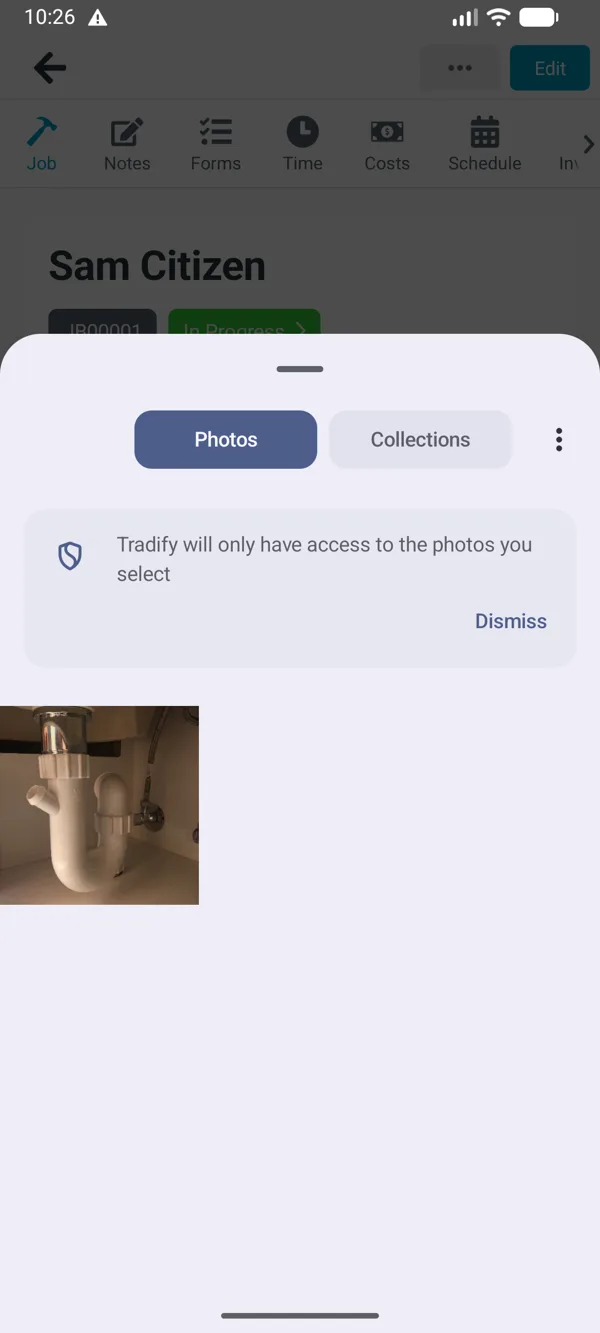
- Photos from the gallery work on both phones. “Choose Photos” opened the photo library on the iPhone and Android’s photo picker on the emulator. ServiceM8’s Android app wouldn’t take a gallery photo in our test.
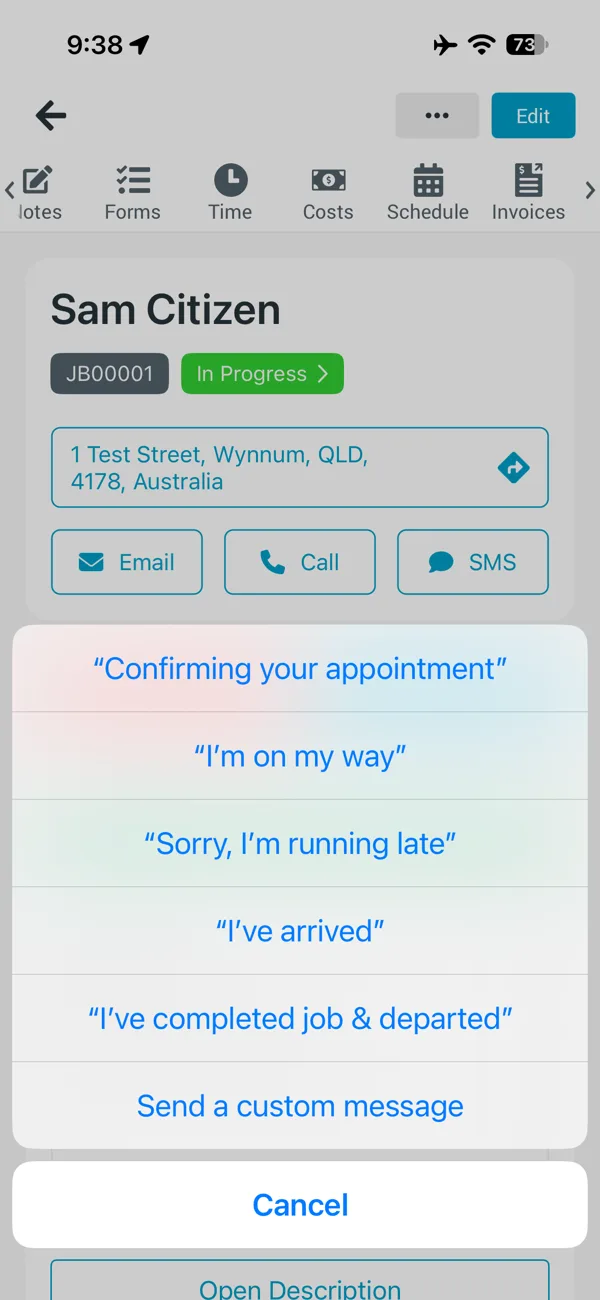
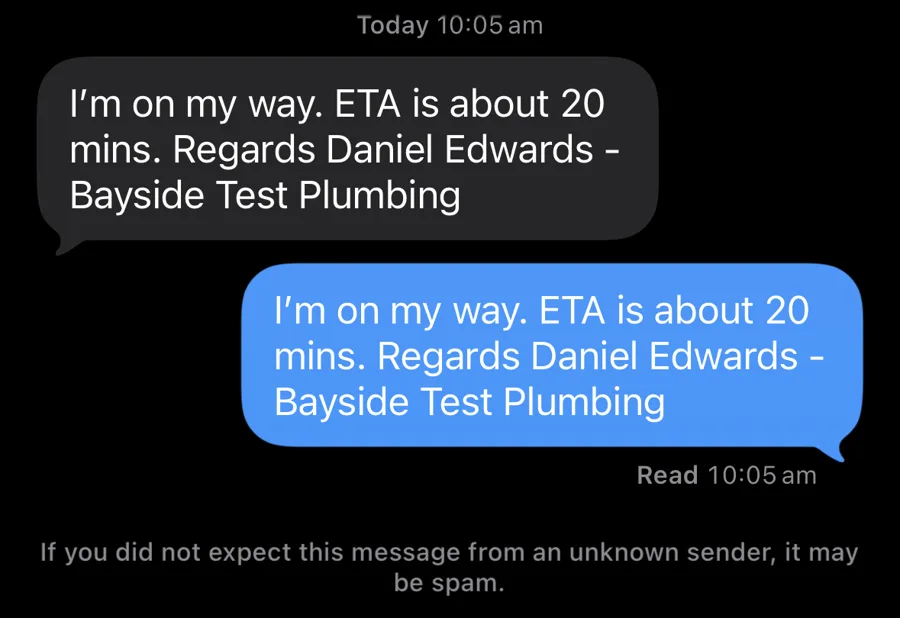
- The SMS button offers ready-made texts: “I’m on my way”, “Sorry, I’m running late”, “I’ve arrived” and more. They open your phone’s own Messages app with the text filled in, so they’re free and work on the trial. But they come from your personal number, the ETA is a fixed “about 20 mins”, and the text isn’t saved in Tradify. ServiceM8’s “on the way” text comes from its own service with a live arrival-tracking link.
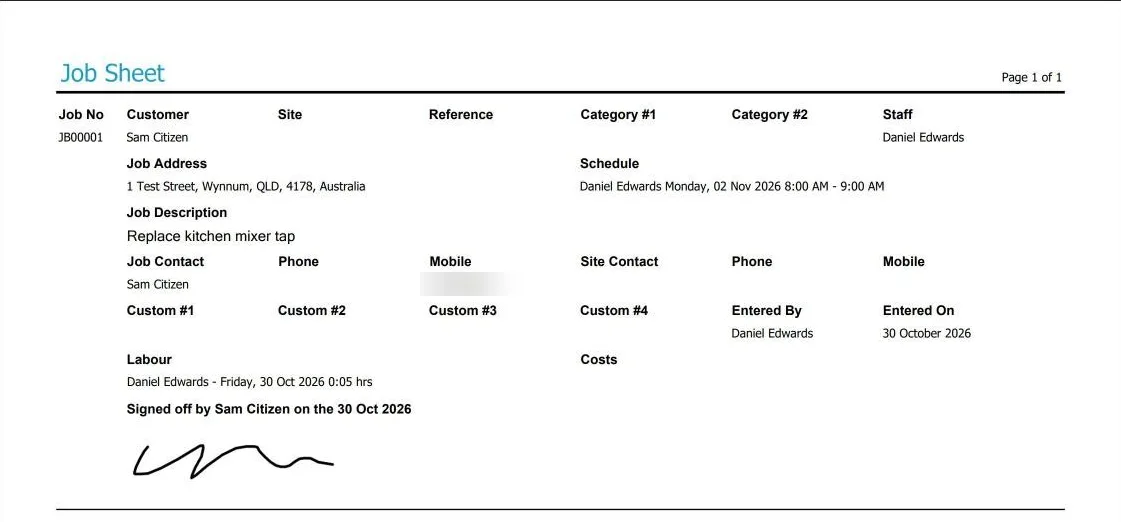
- The customer signs on the job sheet. “Sign Job Sheet” opens a full-screen signature pad with the customer’s name filled in. The signature appears on the job sheet PDF (“Signed off by Sam Citizen”), not on the invoice.
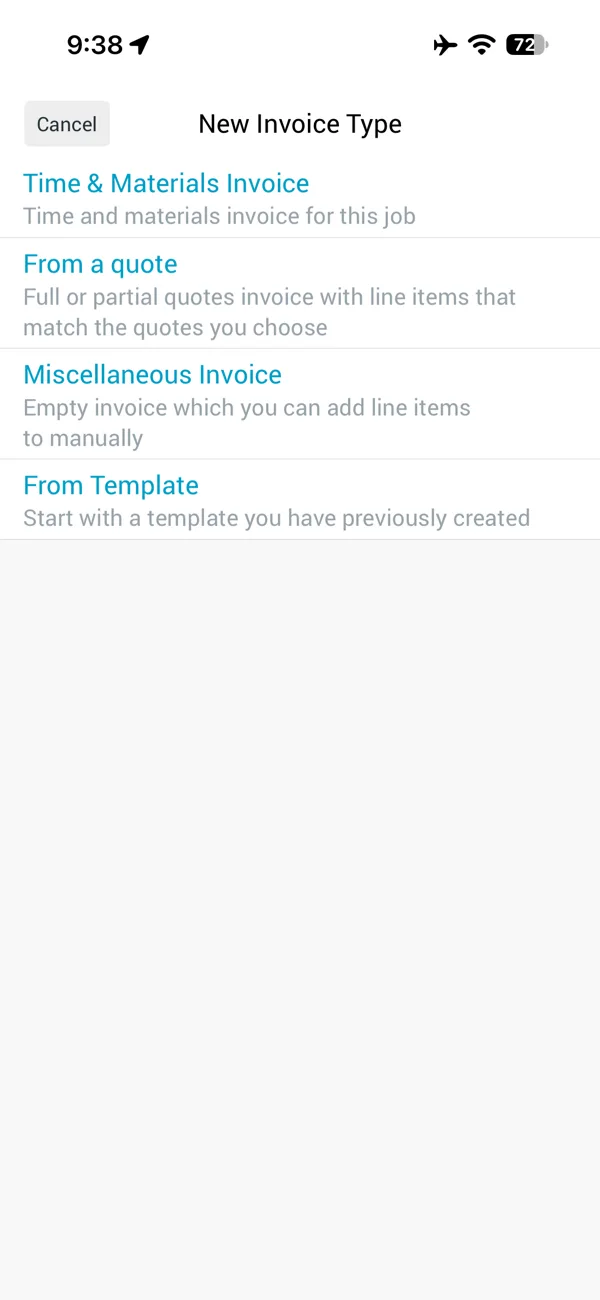
Invoicing from the phone has a trap. A new invoice offers four types: Time and Materials, From a quote, Miscellaneous and From Template. We picked Time and Materials, which bills the time you’ve tracked at your labour rate. Our rate was still the default A$0, so the invoice came out at A$0.00 for five minutes of work, and Tradify then showed it as paid. “From a quote” would have pulled in the A$449.90. Set your labour rate before your first job.
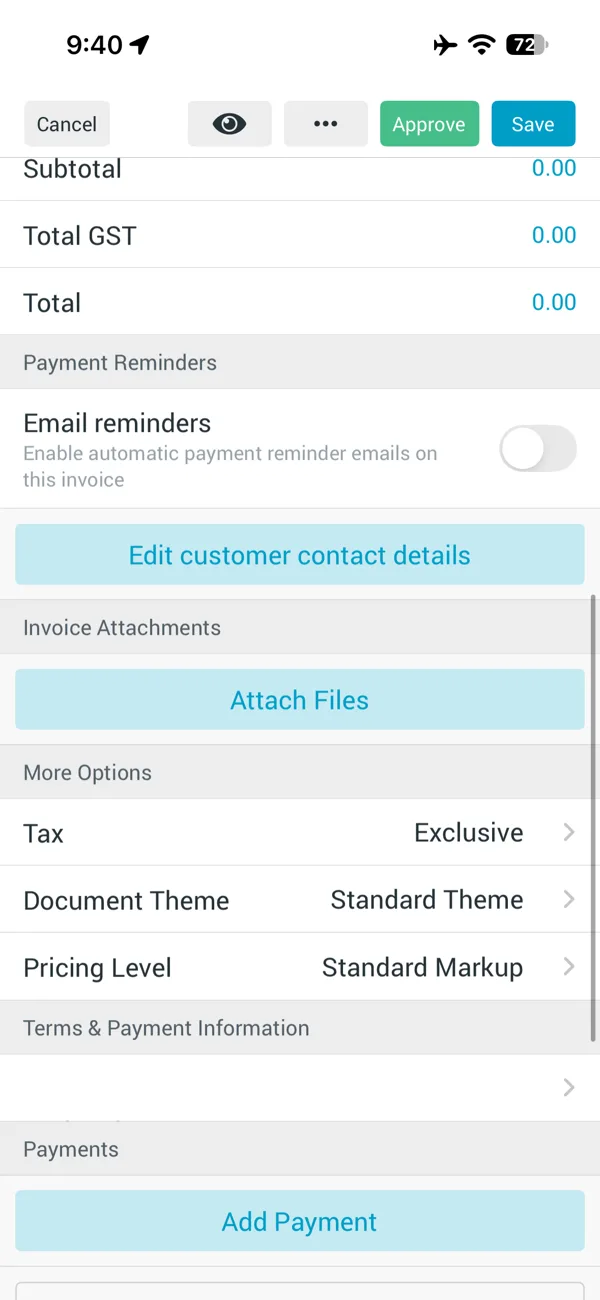
On the web, invoicing from an accepted quote gives you more choice: the whole quote, selected lines, a percentage, a fixed amount or the remaining balance. That’s useful for deposits and progress payments.
Timesheets show hours and minutes. We logged 1 hour 30 minutes. The timesheet showed “1:30” (hours and minutes) and invoices bill time in decimal hours, so it bills as 1.5. One App Store reviewer complained that Tradify turns 1.5 hours into 1.3; we think they read “1:30” as 1.3. We didn’t see any wrong rounding.
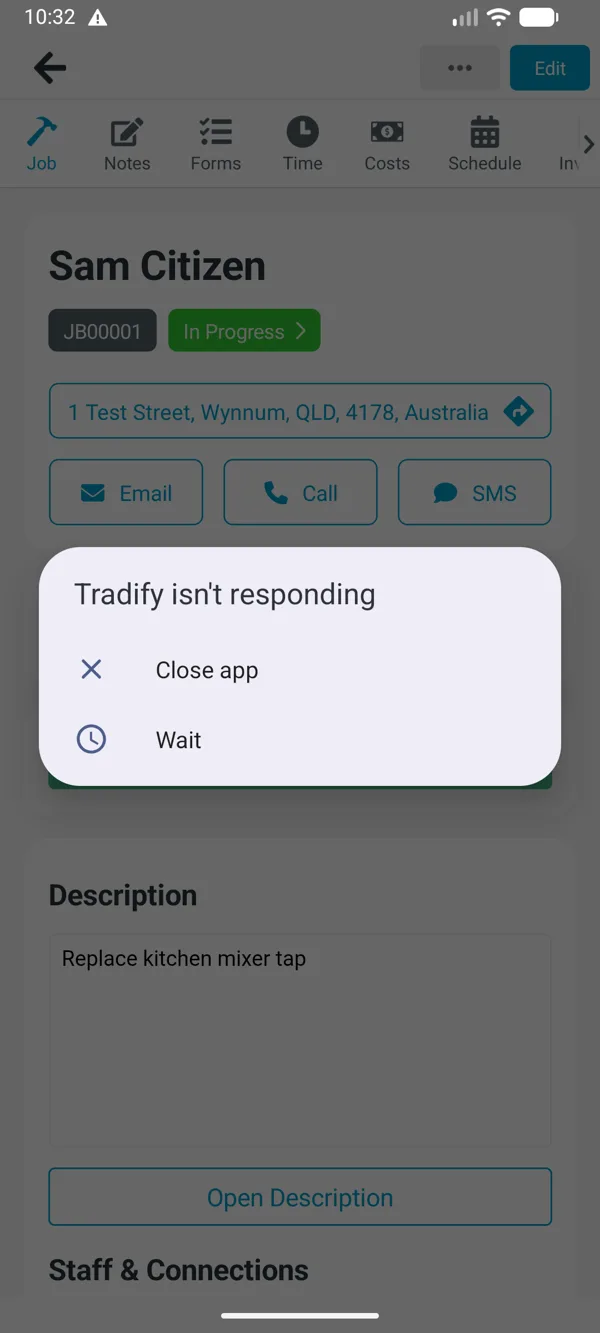
On Android, the app froze twice while handling a photo on our emulator. Each time it showed “Tradify isn’t responding”. The first time, the note was lost. The second time, the photo still uploaded. An emulator is slower than a real phone, so treat this as something to check on your own phone during the trial, not a confirmed fault.
Tradify Xero sync test
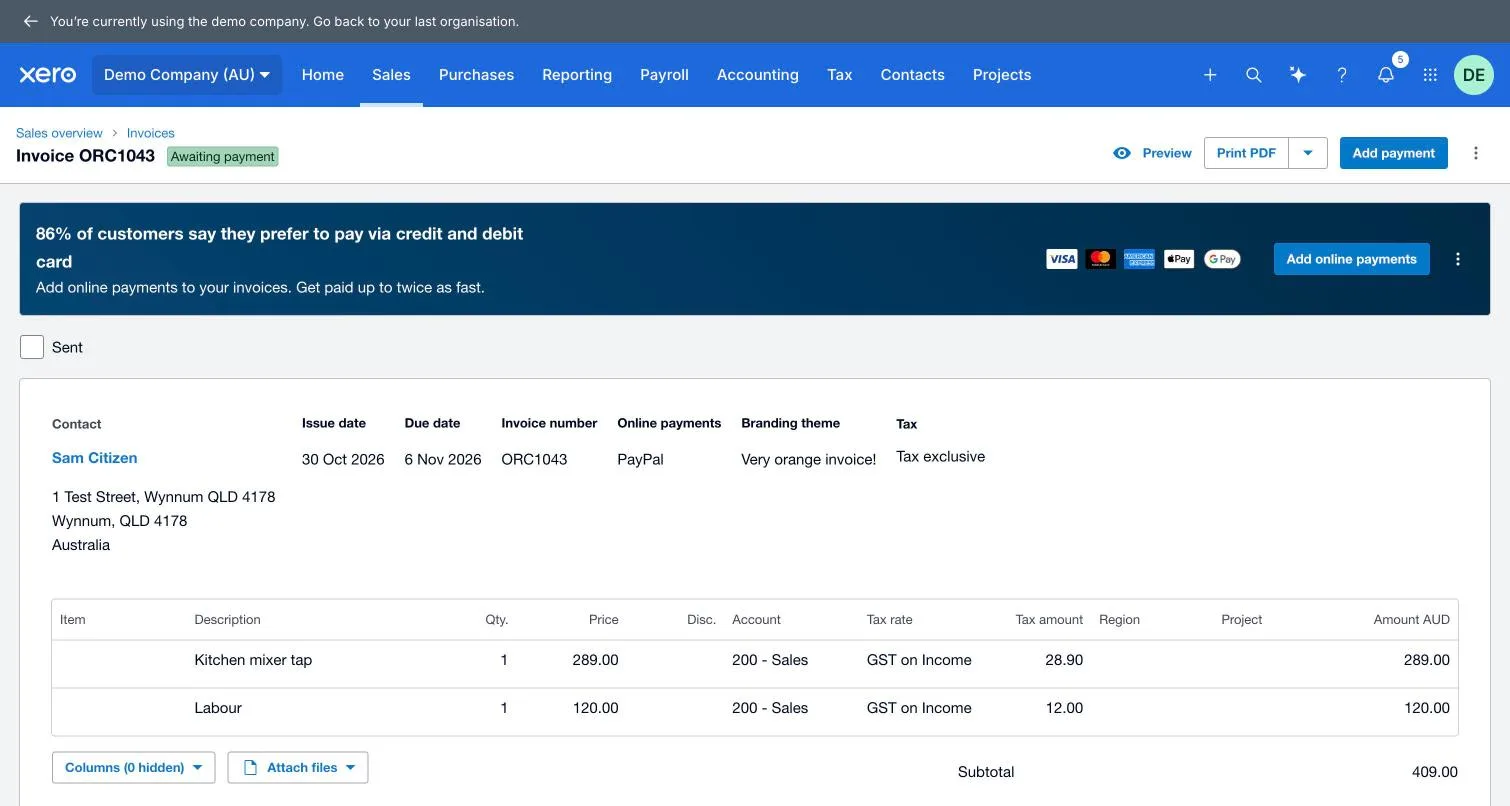
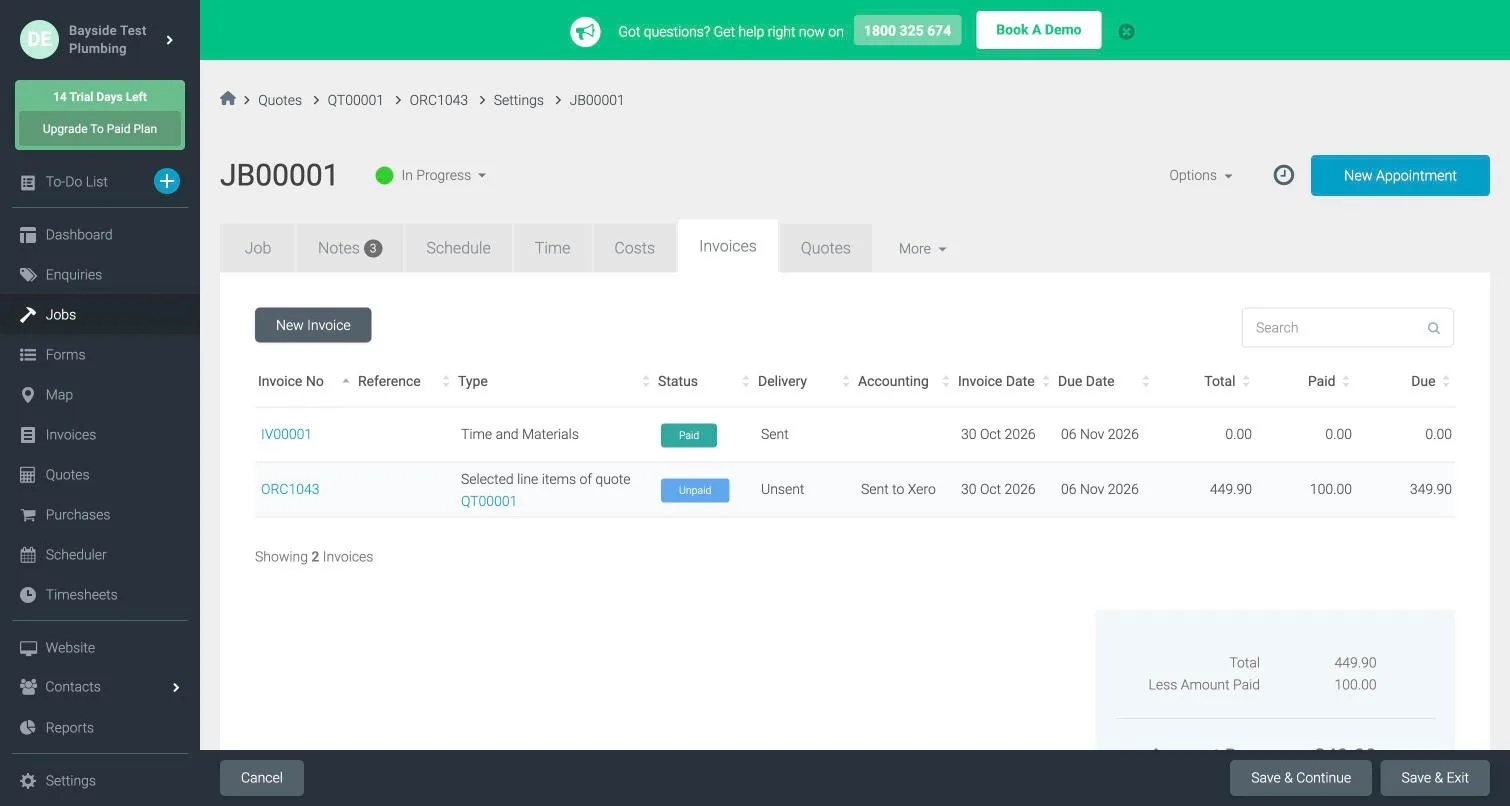
Connecting Xero takes a Xero login and choosing which organisation to connect. Once connected, approving an invoice sends it to Xero straight away: ours was there before we’d closed the window. It took Xero’s invoice number, matched the existing customer in Xero rather than creating a duplicate, and coded both lines to Sales with GST on Income. When we recorded a A$100 part payment in Xero, it showed in Tradify within eight minutes: A$100 paid, A$349.90 due.
Four things happened that you might not expect:
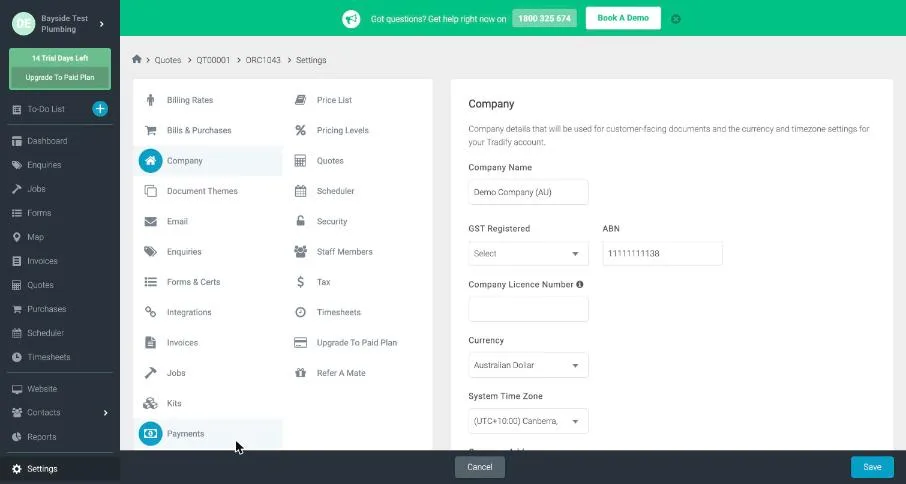
- Connecting Xero replaced Tradify’s business details with Xero’s. Our business name, ABN and time zone all changed to the Xero organisation’s, with no warning. That’s handy if your Xero details are right: your ABN fills itself in. But check them afterwards. In our case the time zone changed to Canberra, which has daylight saving, so every time shown in Tradify was an hour out for a Queensland business.
- It also imported every customer in Xero, so Tradify’s customer list jumped from one to 24.
- An invoice approved before you connect doesn’t go to Xero. ServiceM8 works the same way.
- To switch to a different Xero organisation, you have to email Tradify support.
Getting website enquiries into Tradify
Tradify’s Enquiries feature, on Pro and Plus, gives you two ways in. Setup takes a minute, and both worked in our test.
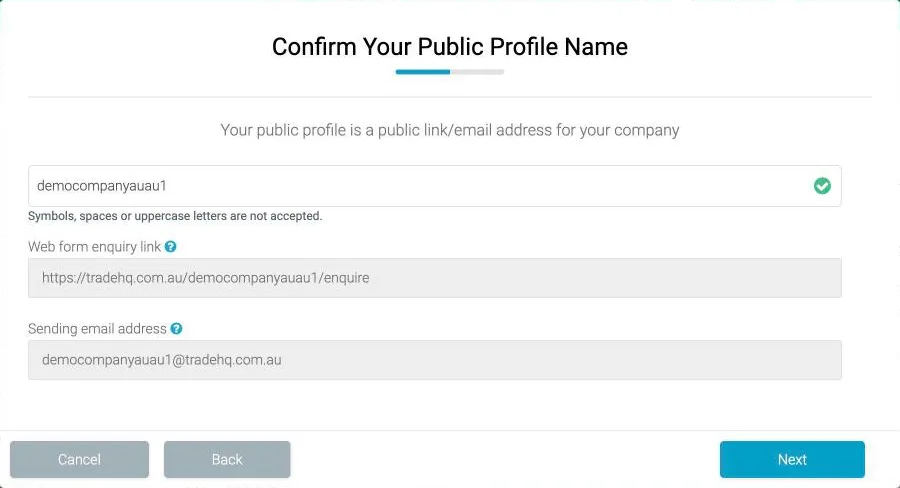
1. A web enquiry form. It lives on Tradify’s own site (tradehq.com.au/your-business/enquire). You can link to it, or embed it in your own page with the code in Tradify’s help centre, which has guides for WordPress, Wix and Squarespace. It asks for:
- name;
- email;
- phone;
- job address;
- a description, with file uploads.
All fields are required, and it has a “not a robot” check. Enquiries land in an Enquiries list, ready to turn into a quote or job. The form’s logo and business name came from our connected Xero account, so check them.
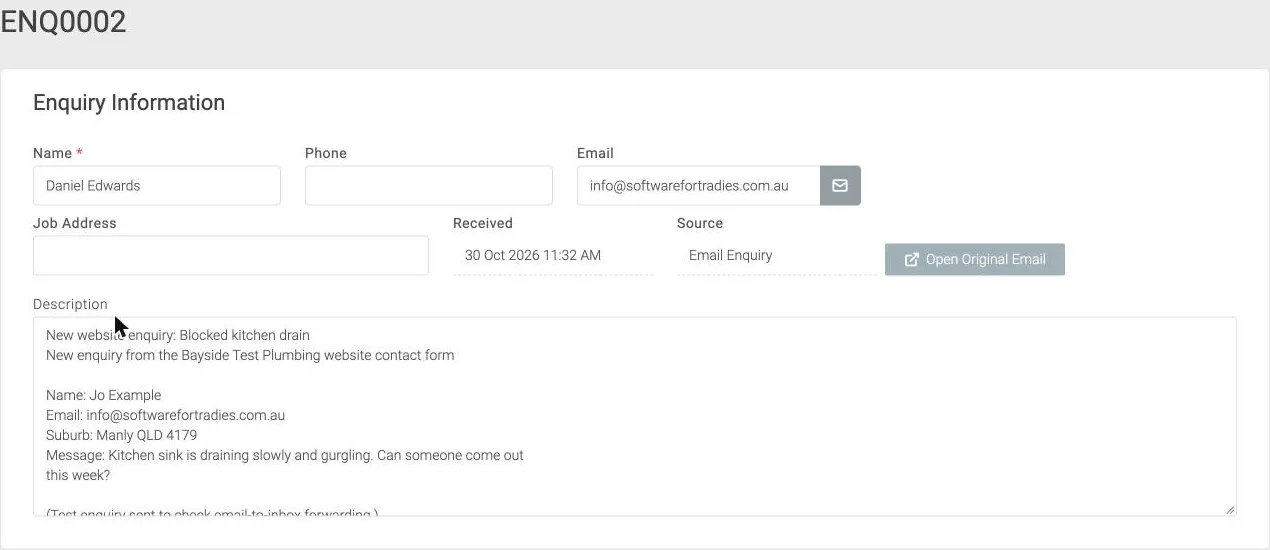
2. An enquiry email address. You get a unique address (ours ended in @tradehq.com.au). We emailed it a message laid out like a website form notification. It arrived in Enquiries within a minute. Tradify didn’t read the details out of the email, though:
- the enquiry took the email sender’s name, not the customer’s;
- the phone and address were left blank;
- the whole email went into the description.
Tradify also offers a basic website, “Instant Website”, for A$19 a month. It’s built for you from your account details and includes the enquiry form. Its only tracking option is a single Google Analytics ID field. We didn’t pay to publish one, so we couldn’t check what it records.
Tradify and Google Ads conversion tracking
If you run Google Ads or Facebook ads, you can’t track Tradify’s own enquiry form:
- there’s nowhere to add your own Google Analytics, Google Ads or Tag Manager code, or a Facebook pixel;
- the only tracking on the form is Tradify’s own, using an old Google Analytics ID Google has retired;
- after a submission the form moves to a thank-you page on Tradify’s site and doesn’t tell your page, so your tags can’t see it.
That means no lead conversions and no enhanced conversions from the form.
The workaround is to use your own form on your own website, where your tags and enhanced conversions work as normal, and have it email each enquiry to your Tradify enquiry address. Set the form’s “from” name to the customer’s name, because that’s what Tradify uses. Expect to copy the phone number and address across by hand.
Tradify cons: where it falls short
No offline mode. “Tradify does not work offline as, both the Web Console and the Mobile App are dependent on a live internet connection to operate” (Tradify help, updated July 2026). An app update in January 2026 added an “Offline” banner when you lose signal, but no offline mode. One electrician on Reddit described writing notes on the phone, taking a call, and finding “everything erased”. If your crew works in basements, new estates or out of range, this is the deal-breaker.
Our offline test used the Android app on an emulator with every connection switched off.
- Opening the app with no connection showed only “Oops, something has gone wrong. Please check your connection”, and no jobs.
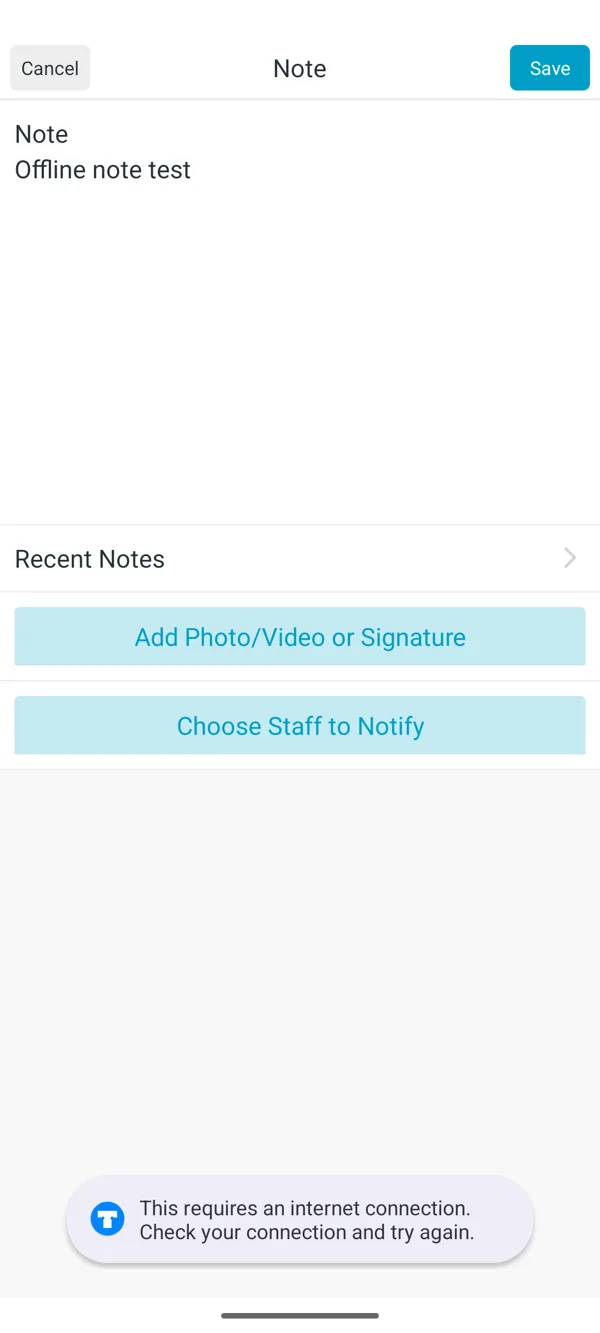
- Losing signal with a job already open: the notes we’d already loaded were still there. But saving a new note gave “This requires an internet connection.” The note stayed on screen and saved once the connection came back. Close the app, or let the phone close it, and it’s gone.

No API, webhooks or Zapier. Tradify says it “does not currently offer a public API or self-service API keys (as of September 2026)” (Tradify). It also says there are no documented webhooks and no public developer portal, and it hasn’t given a date for one. So a web developer can’t post your website form, call tracking or CRM leads straight into Tradify; email to your enquiry address is the only way in. Its connections are Xero, MYOB, QuickBooks, Stripe and Google Calendar.
Per-user cost as you grow. See the table above.
Speed and saving. The most common complaints in recent low-star reviews are slowness and lost work: “Very slow in AU, it takes 30s to open a page or job” (App Store, January 2026), and “Everything takes too long to save… Scheduler page does not auto refresh” (May 2026). Tradify’s servers are in the USA, according to its help centre.
In our test from Brisbane, each request to Tradify’s servers took 0.2 to 0.7 seconds, and the web app’s pages appeared in about a second. We didn’t see the 30-second loads those reviewers describe. Our account had only a handful of jobs, though, so this doesn’t show how it copes with years of history.
Light on stock and reporting. There’s no stock control. Purchase orders and reporting are on the top plan.
Support: a phone line and an early call, but slow chat on our test day. Tradify has a phone line, 1800 325 674, shown at the top of every page during the trial. Its plans include free setup and training. About half an hour after we started the trial, someone from Tradify texted and called the mobile on the account, and the voicemail mentioned the job we’d just created. ServiceM8 never called, texted or emailed us during its trial.
We asked live chat one question at 10:43 am on a Friday (Brisbane time): does Tradify still add GST to the subscription once you enter an ABN? A chatbot answered first and couldn’t help, then offered “Talk to a human”. A person joined about a minute and a half later, said they were “a little busier than usual today”, and answered 11 minutes after we first asked. The answer was a link to the right help article plus one line. ServiceM8 answered two questions in about seven minutes, and we’d asked it at 9:28 pm on a Thursday, outside business hours. Tradify’s wait came in the middle of a weekday morning. That’s one question on one day each, so treat it as a sample.
Your data. Customers, customer sites, jobs and timesheets each export to a spreadsheet file from their list pages, on the trial. ServiceM8 needs a paid add-on for list exports.
GeoOp and GeoNext users moving to Tradify
The Access Group bought GeoOp and GeoNext in February 2025 (Access Group) and is moving their customers onto Tradify. Tradify’s migration page says:
- GeoOp and GeoNext “will be sunsetted, and once this happens, your account and data will no longer be accessible”.
- Tradify sets up your account and moves your settings, customers and job history. Your Geo account switches to “Edit Only” for existing jobs.
- You pay the same price per user on Tradify that you paid on Geo, on a plan with the features you use now.
- Attachments come across as links back into Geo.
There’s no public shutdown date; Tradify tells each customer by email. One GeoOp user’s App Store review (October 2025) said they had “2 weeks during school holidays” to switch. Because attachments only come across as links into Geo, download any photos and files you need before your Geo account closes, and ask Tradify to confirm what happens to them.
geoop.com now redirects to Tradify. If you’re a GeoOp user deciding where to go, the move to Tradify is the path of least resistance, but you’re free to pick another app. ServiceM8, for example, has a free tool to import your GeoOp job history (its GeoOp page still shows a 50% discount, but the small print says that offer ended on 31 December 2024).
Tradify in New Zealand
NZ prices are NZ$48, NZ$52 and NZ$62 per user a month plus GST, and Tradify charges 15% NZ GST on NZ invoices. NZ card payments run through Stripe at 2.9% plus 30c.
Who is Tradify best for?
- Strong fit: sole traders and crews of two to five who want the simplest app, work in mobile range, and don’t need to connect other software.
- Good fit: small renovation and fit-out businesses that invoice in stages with retentions.
- Look elsewhere: crews of six or more (ServiceM8’s flat pricing gets much cheaper), anyone working out of range, and businesses that want website forms, call tracking or a CRM feeding jobs in. See ServiceM8 alternatives for the comparison.
Tradify FAQs
How much is Tradify a month? A$48, A$52 or A$62 per user, ex GST. GST-registered Australian businesses aren’t charged GST on top.
Does Tradify work offline? No. It needs an internet connection on both the app and the web.
Does Tradify work with Xero? Yes: invoices, payments, credit notes, bills and contacts sync, and payments reconciled in Xero mark invoices paid. Timesheets don’t go to Xero Payroll; you export a CSV.
Who owns Tradify? The Access Group, a UK software company, since October 2024.
Written by Dan Edwards
Dan sets up job management, call tracking and CRM systems for trade businesses. More about Dan.