 AroFlo
 Fergus
 Simpro
Head to head
ServiceM8 vs Tradify (2026): which is better for your trade business?
ServiceM8 vs Tradify for AU and NZ tradies: like-for-like cost by team size, Android after ServiceM8 15, offline, card fees, API, ratings and a verdict by scenario.
By Dan Edwards · Updated
Some links on this page earn a commission if you sign up. It never changes the order or the verdict. How we keep the lights on.
On this page
We tested both on their 14-day trials in late October 2026: ServiceM8 from 29 October and Tradify from 30 October. Each ran on the web on a Mac, on an iPhone, and on an Android emulator. We put the same made-up Brisbane plumbing job through both, from quote to invoice, and connected each one to the same Xero demo company. The full results are in our ServiceM8 review (SFT score 8.1) and Tradify review (7.2).
Short answer
Pick ServiceM8 if you have two or more people, take card payments, work out of range, or want other software to feed jobs in. It’s cheaper for most crews, works fully offline, has lower card fees and an API.
Pick Tradify if you’re a sole trader or a small crew who wants the easiest app, always has signal, and doesn’t need to connect anything else. Its users rate it higher on every app store, and it’s cheaper for one person doing a lot of jobs.
 ServiceM8TestedOCT 2026 |  TradifyTestedOCT 2026 | |
|---|---|---|
| Best for | Small teams doing lots of short jobs | Sole traders and crews up to about 20 who want simple |
| Price from | Free (30 jobs/mo), then A$29–349/mo inc GST | A$48 per user/mo ex GST (no GST charged if you're GST-registered) |
| How it’s priced | Flat per business, tiered by jobs per month. No per-user fees | Per user (A$48 / 52 / 62 ex GST by plan) |
| Free trial | 14 days, no card, no lock-in | 14 days, no card, no lock-in |
| Runs on | iPhone, Android, web. Works offline | iPhone, Android, web. No offline mode |
| Accounting | Xero two-way (contacts, items, payments). MYOB, QuickBooks | Xero two-way (invoices, payments). MYOB, QuickBooks |
| Try ServiceM8 → | Try Tradify → |
ServiceM8 vs Tradify at a glance
| ServiceM8 | Tradify | |
|---|---|---|
| How you pay | Per business, by new jobs a month; unlimited users | Per user |
| From | Free (1 user, 30 jobs), then A$29/month inc GST | A$48 per user/month (Lite), A$52 (Pro) |
| GST | Prices include GST | Not charged to GST-registered AU businesses |
| Works offline | Yes, fully | No |
| Android | Full app since ServiceM8 15 (Sept 2026) | Full app |
| API, Zapier | Yes | No |
| Card fee (standard AU card) | 1.89% down to 1.19% + 30c by plan | 1.9% + 30c |
| Progress invoicing | From Starter | Pro, with retentions |
| Purchase orders | No | Plus plan |
| Owner | Australian, private | The Access Group (UK) since 2024 |
From each vendor’s pricing and help pages, checked 26 October 2026.
ServiceM8 vs Tradify pricing by team size
Like for like means ex GST on both sides. ServiceM8’s prices include GST, which a GST-registered business claims back. Tradify bills from New Zealand and doesn’t charge GST to GST-registered Australian businesses at all. Comparison pages that put ServiceM8’s inc-GST price next to Tradify’s ex-GST price, or tell you to add 10% to Tradify, get this wrong.
Monthly subscription, ex GST, Tradify on Pro:
| Team and jobs a month | ServiceM8 | Tradify Pro |
|---|---|---|
| 1 person, 40 jobs | A$26.36 (Starter) | A$52 |
| 1 person, 100 jobs | A$71.82 (Growing) | A$52 |
| 2 people, 100 jobs | A$71.82 | A$104 |
| 2 people, 200 jobs | A$135.45 (Premium) | A$104 |
| 3 people, 120 jobs | A$71.82 | A$156 |
| 6 people, 300 jobs | A$135.45 | A$312 |
| 10 people, 600 jobs | A$317.27 (Premium Plus) | A$520 |
Tradify is cheaper in two cases: one person doing 51 to 150 jobs a month, and two people doing 151 to 500. Everywhere else, ServiceM8 is, and the gap widens with every person you add.
Tradify Pro is the fair comparison because Lite has no job photos, online quote acceptance, progress invoicing or timesheets. Tradify also has a separate, lower price for staff who never log in and only get their jobs by email.
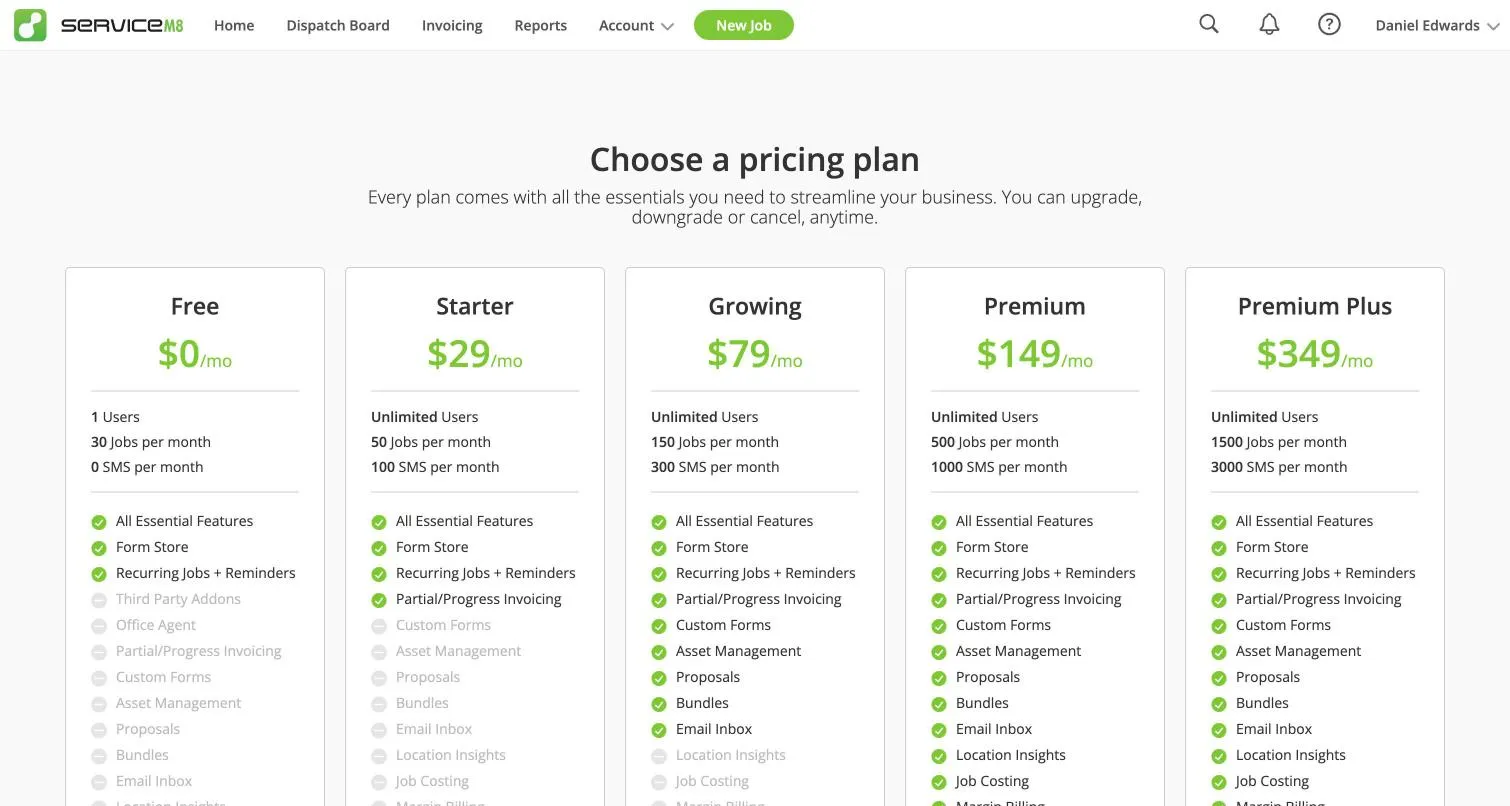
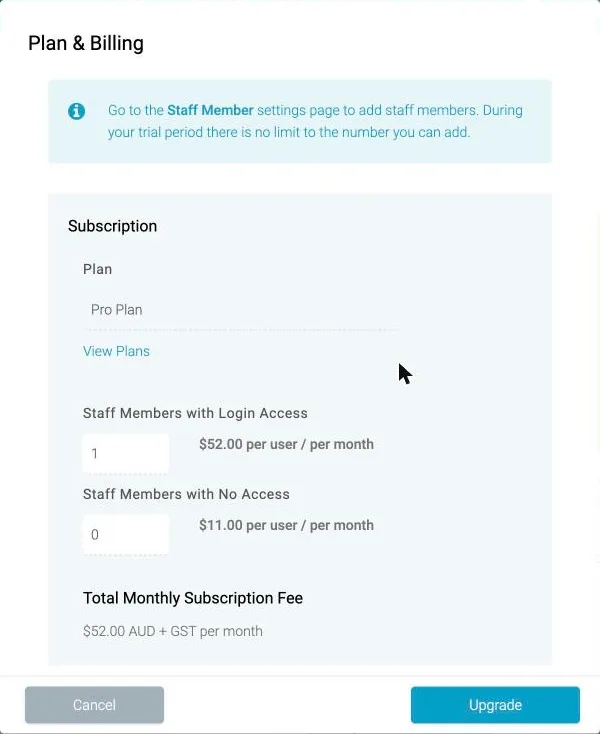
What the trials showed. ServiceM8’s plan page inside the app lists the same five plans and prices as its website, but doesn’t say whether they include GST. Its public pricing page does. Tradify’s billing screen showed “A$52.00 AUD + GST per month”, because our trial had no ABN on file. Tradify’s support confirmed that once you add an ABN and tick GST registration, no GST is added. That billing screen is also the only place we found Tradify’s A$11 price for staff without a login.
Card fees compared
Card fees can cost more than the subscription. Since 1 October 2026 you can’t surcharge eftpos, Mastercard or Visa payments in Australia, so the fee comes out of your price. ServiceM8’s rate drops as you move up plans; Tradify’s is flat:
| Plan | ServiceM8 | Tradify |
|---|---|---|
| Entry | 1.89% (Free), 1.69% (Starter) + 30c | 1.9% + 30c |
| Growing / Pro | 1.49% + 30c | 1.9% + 30c |
| Premium | 1.39% + 30c | 1.9% + 30c |
| Premium Plus | 1.19% + 30c | 1.9% + 30c |
For a six-person business taking 125 card payments a month at A$800, ServiceM8 Premium’s fees are about A$510 a month less than Tradify’s.
ServiceM8’s own Tradify comparison page still says “Latest update: Sept 2024”, quotes Tradify at A$45–59 and uses card rates from before October 2026, so treat it with care.
Android, iPhone and offline mode
Android. For years the strongest argument for Tradify was that ServiceM8 on Android was a cut-down “Lite” app. ServiceM8 15 (18 September 2026) replaced it with a full app; four features remain iPhone-only (Room Scan and AR, diagrams, PDF editing, automatic photo tagging). Most comparison pages, including ServiceM8’s own, haven’t caught up.
The ratings still show the history:
| Where | ServiceM8 | Tradify |
|---|---|---|
| Apple App Store (AU) | 4.54 (5,564) | 4.73 (4,108) |
| Google Play | 3.76 (737) | 4.77 (3,142) |
| Xero App Store (AU) | 4.56 (351) | 4.64 (187) |
| Capterra | 4.5 (311) | 4.7 (152) |
ServiceM8’s 2026 Google Play reviews averaged 1.95 stars before the new app and 3.2 in the five weeks after, from a small sample of 20. Tradify rates higher on every store.
Offline. ServiceM8 works fully offline and syncs later. Tradify “does not work offline”: both its app and web version need a live connection. In basements, plant rooms, new estates and the bush, that settles it.
Our Android test
We ran both apps on the same Android 17 emulator, not a physical phone.
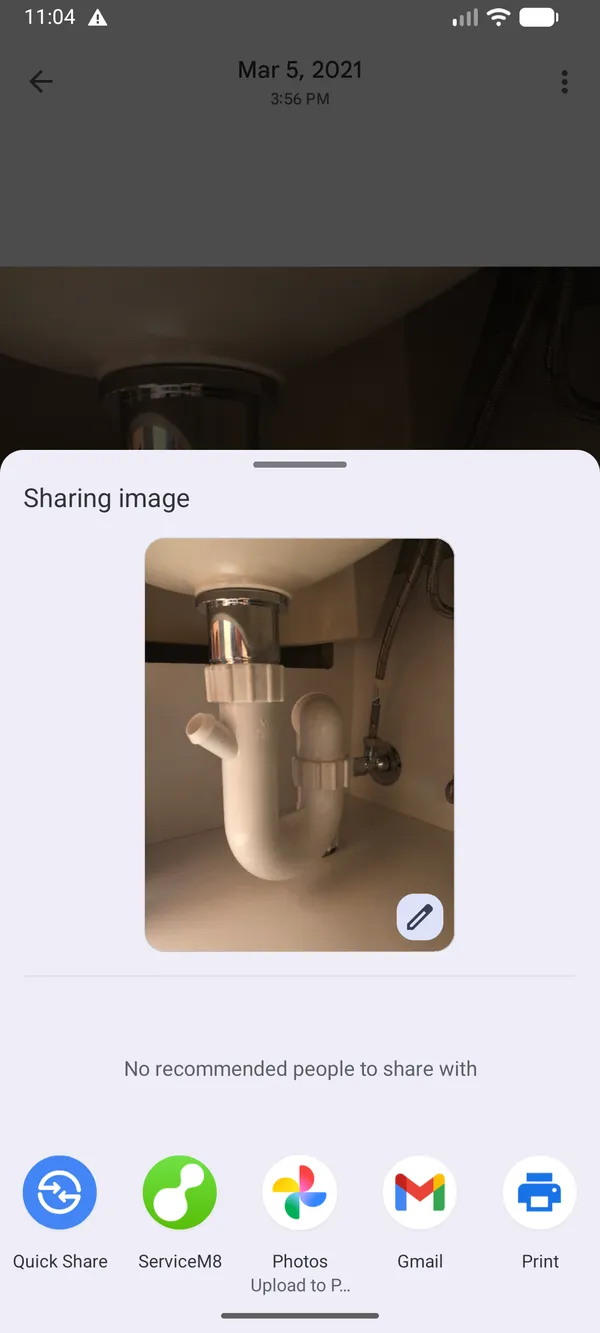
- ServiceM8 (version 15.0.3) matched the iPhone app in layout and most features, but had no AR Measure or Room Scan and a simpler camera, with no gallery button or photo tags. There’s no attach option on a job, and sharing a photo to ServiceM8 from Google Photos closed with nothing attached. It didn’t offer Tap to Pay either, but our emulator has no NFC chip, so that isn’t conclusive.
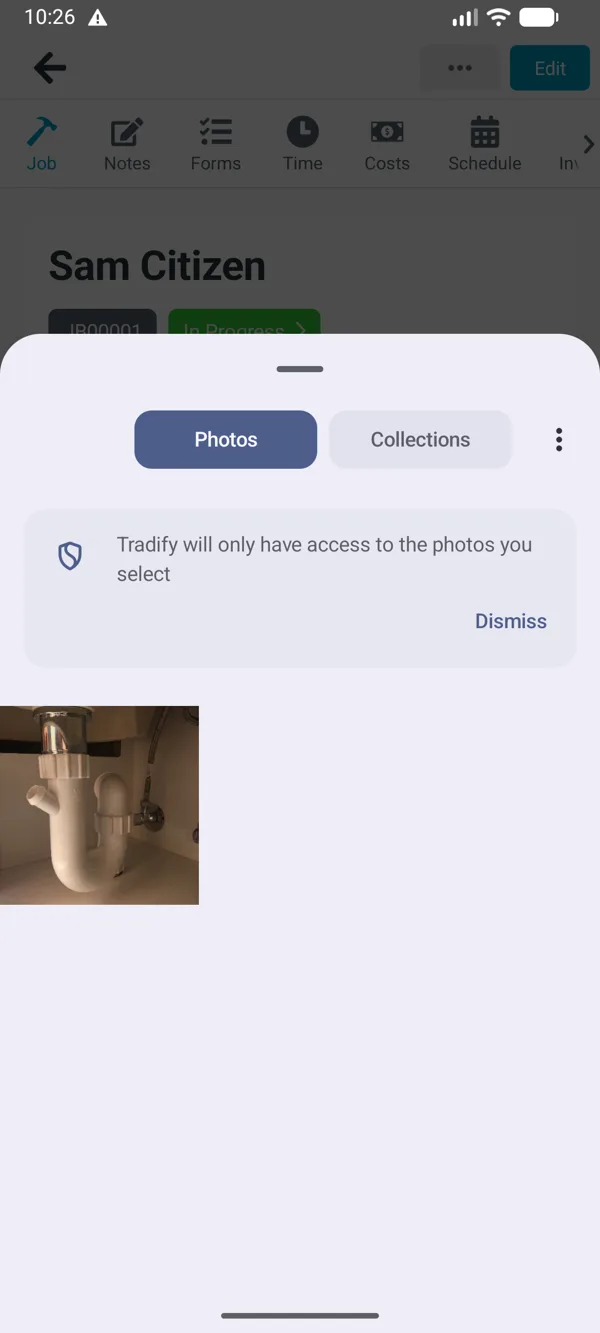
- Tradify is the same app on both phones. Gallery photos worked: “Choose Photos” opened Android’s photo picker. But it froze twice while handling a photo (“Tradify isn’t responding”), and the first time the note we were writing was lost.
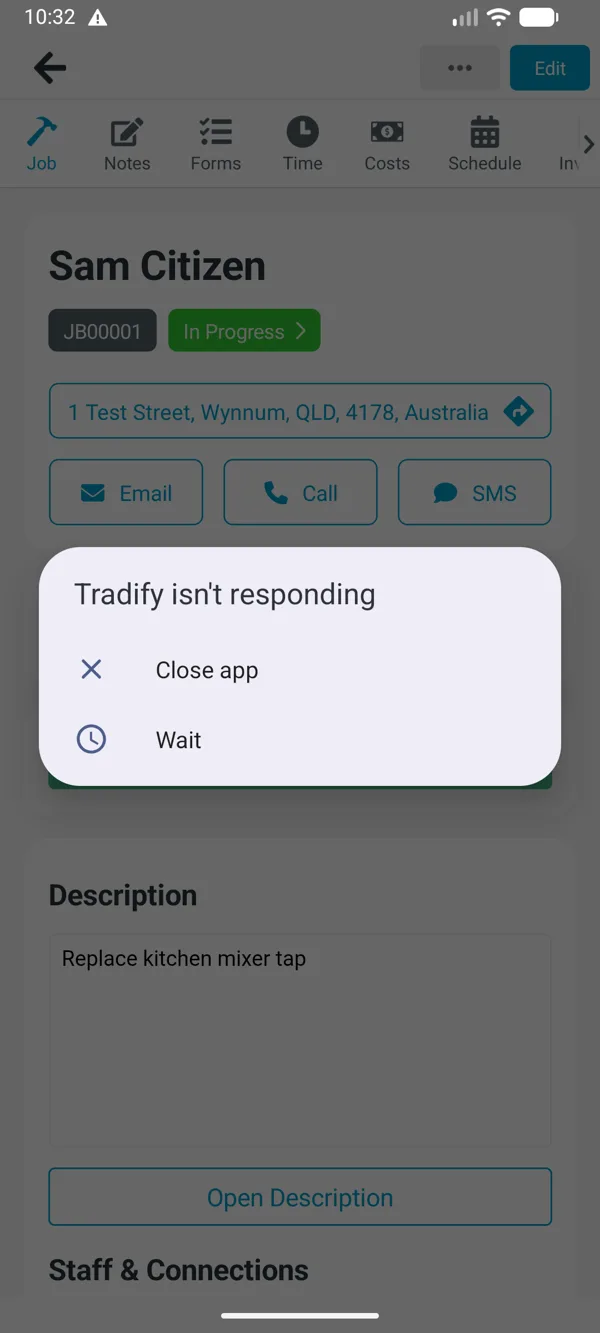
An emulator is slower than a real phone and has no camera or NFC hardware, so treat both problems as things to check on your crew’s own phones during the trial.
Our offline test
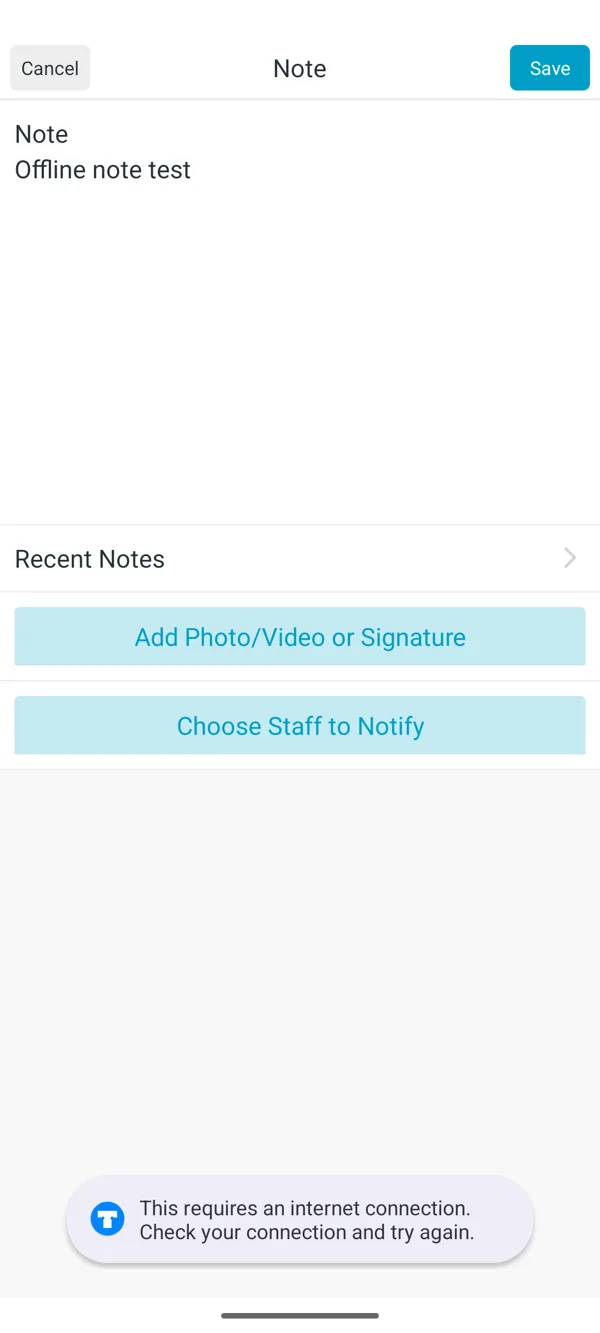
- Tradify: with every connection off, the app opened only to “Oops, something has gone wrong. Please check your connection”, with no jobs. With a job already open, saving a new note gave “This requires an internet connection”. The note saved once the connection came back, but close the app before then and it’s gone.
- ServiceM8: we haven’t tested it with no signal yet. ServiceM8 says the app works fully offline and syncs when you’re back in range, and that’s the one claim in this comparison we’re taking on its word for now. We’ll add our result here when we’ve run it.

Quoting, jobs and invoicing
Both handle the basics well: quotes from a price list, scheduling, job cards with photos, invoices and card payments.
- ServiceM8 has multiple quote options, online acceptance with e-signature and automatic quote follow-ups on every plan, and progress invoices from Starter. Its AI Office Agent (September 2026) drafts quotes and invoices for you to approve. Forms and certificates: ready-made forms on all plans, custom forms from Growing.
- Tradify puts quote options, online acceptance, progress invoicing with deposits and retentions, timesheets, safety forms and compliance certificates on Pro. Purchase orders and supplier-bill reading are on Plus.
Neither does stock control. Tradify has purchase orders (Plus); ServiceM8 doesn’t.
The same quote in both
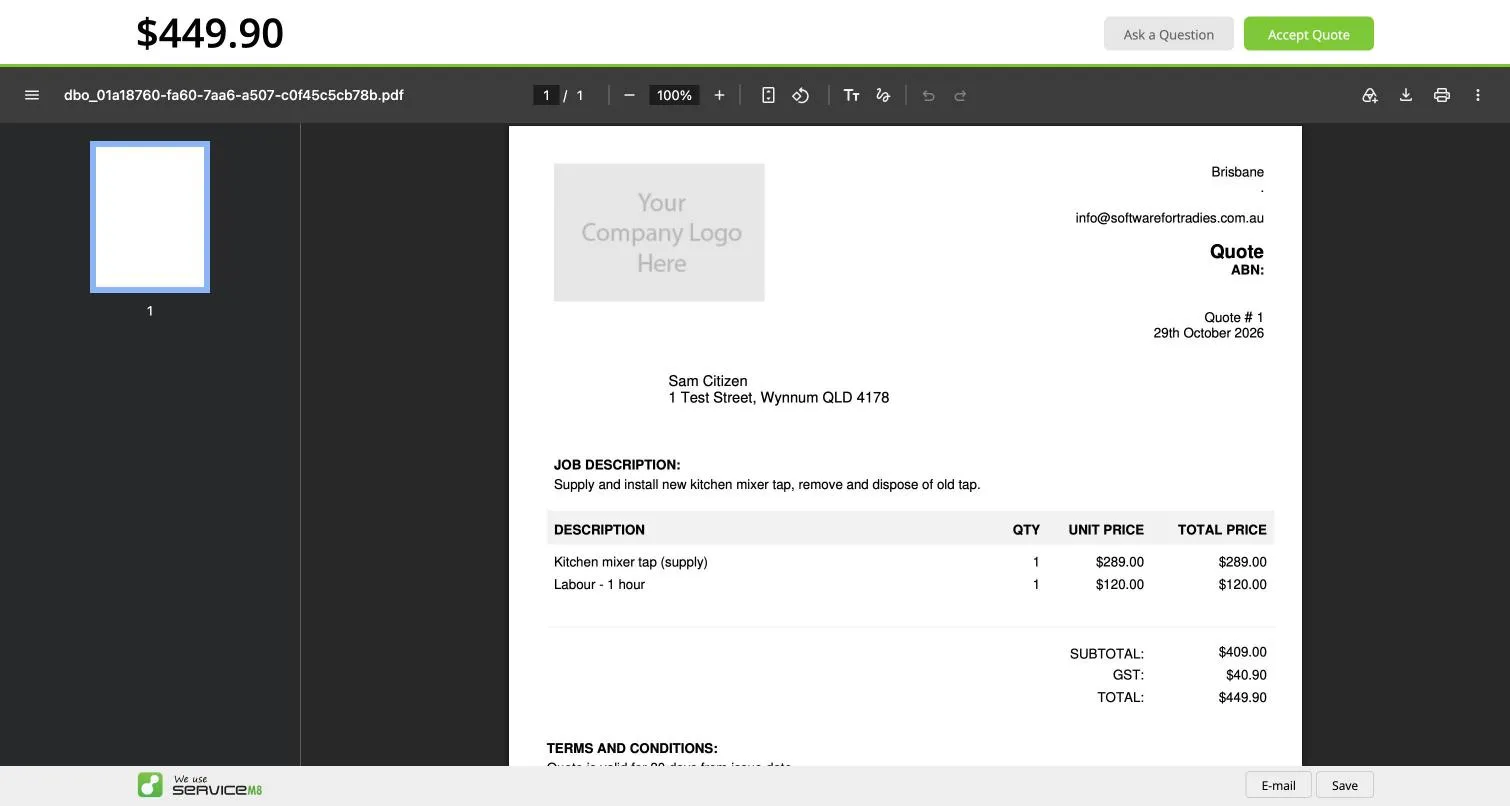
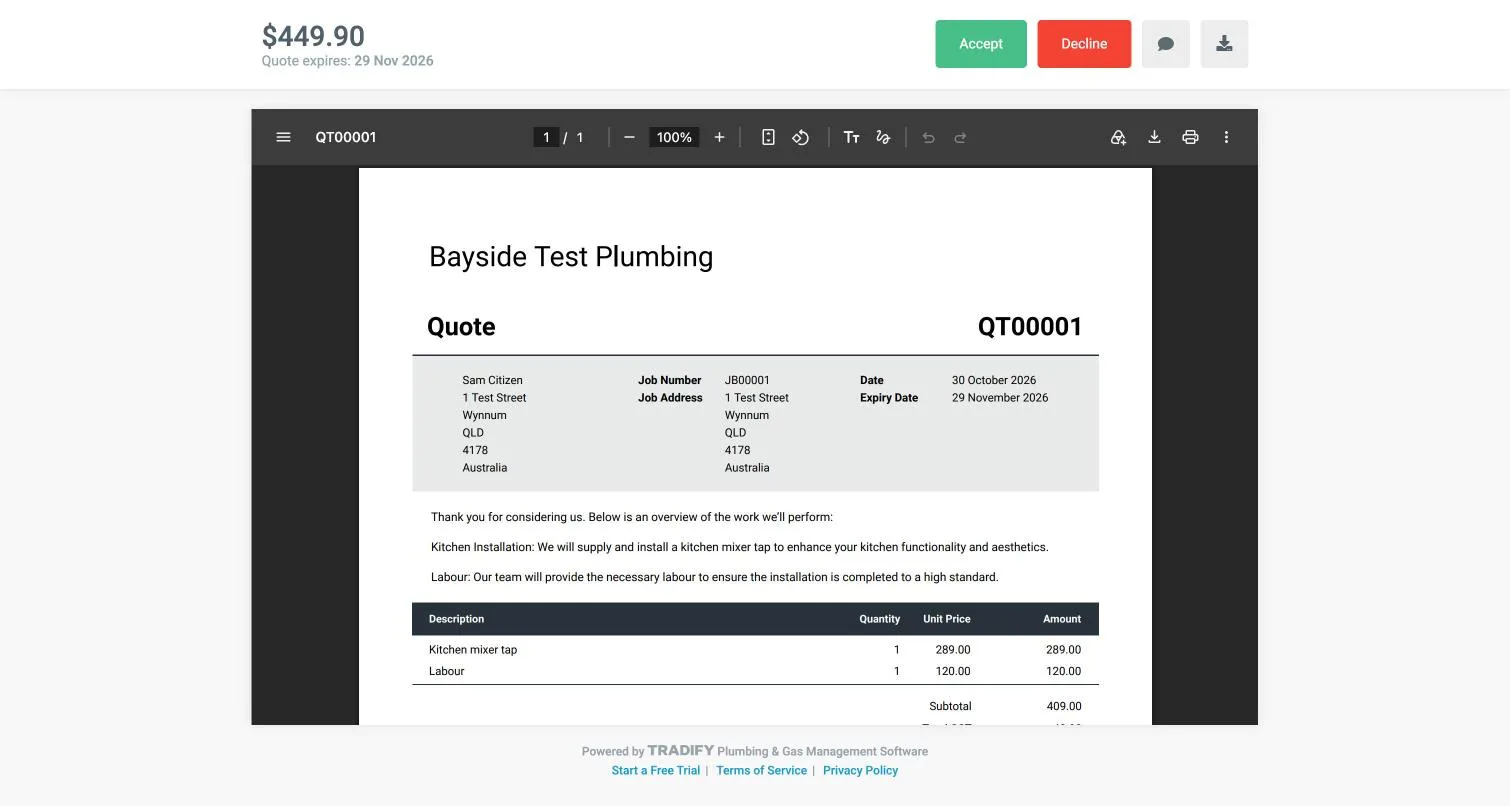
We built the same quote in each: a new customer, a A$289 kitchen mixer tap and A$120 of labour, A$449.90 including GST.
- Time to build it: about a minute and a half in ServiceM8, and about eight minutes in Tradify, mostly because Tradify’s job and quote are separate screens. These are rough times from one run each.
- GST: Tradify charged GST correctly from the first quote. ServiceM8’s new account had one tax rate, “NONE”, so the quote showed A$0 GST until we added a 10% rate.
- What’s printed on it: ServiceM8 printed a grey “Your Company Logo Here” box and a blank ABN until we filled them in. Tradify’s quote showed the business name as plain text, but no ABN, phone, email or address.
- Accepting it: ServiceM8’s customer types their name to sign, and the job turns into a work order straight away. Tradify’s email has Accept and Decline buttons in it, and accepting is one click with no signature. The job then stayed “Unassigned” until we booked it.
On the phone, ServiceM8 offers to text the customer that you’re on the way when you start the job, from its own service with an arrival estimate and a tracking link. Tradify’s “I’m on my way” text opens your phone’s Messages app and goes from your own number with a fixed “about 20 mins”.
Xero integration and API
ServiceM8 has a public API, Zapier, an add-on marketplace, and since version 15, connections for AI assistants like ChatGPT and Claude. Tradify has none of those “as of September 2026”, so website forms, call tracking or a CRM can’t create jobs in it.
Both sync well with Xero. ServiceM8 syncs customers, items and payments both ways about every 30 minutes and has add-ons for tracking categories and payroll shift times. Tradify syncs invoices, payments and credit notes and sends bills and contacts across; its timesheets go to Xero Payroll by CSV. See job management software that works with Xero.
Our Xero test
We connected both to the same Xero demo company, sent an invoice from each and recorded a part payment against it in Xero.
| ServiceM8 | Tradify | |
|---|---|---|
| Invoice reaches Xero | Under a minute after approving | Straight away on approving |
| Customer in Xero | Created as a new contact | Matched to the existing contact |
| GST and account | Sales, GST on Income | Sales, GST on Income |
| Part payment back in the app | Within five minutes | Within eight minutes |
| Invoices approved before connecting | Not sent | Not sent |
Both worked well. Tradify did one thing to watch for: connecting Xero replaced our business name, ABN and time zone with the Xero organisation’s, without a warning, and imported every Xero contact. Our time zone changed to Canberra, so every time in Tradify was an hour out for a Queensland business. Check your settings after you connect.
Customer support compared
ServiceM8 offers 24/7 chat and email, with no phone line. Tradify offers phone, chat and email in business hours, plus free one-on-one training.
Our support test. We asked each one by live chat. We didn’t call Tradify’s phone line.
- ServiceM8: two questions at 9:28 pm on a Thursday. A person replied within about a minute and a half, and both answers arrived within about seven minutes. Both were right, if a little brief.
- Tradify: one question at 10:43 am on a Friday. A chatbot answered first and couldn’t help, a person joined about a minute and a half later, and the answer arrived 11 minutes after we asked. It was a link to the right help article.
Tradify also called and texted us within half an hour of signing up. ServiceM8 never contacted us during its trial. That’s one test each, so treat it as a sample.
ServiceM8 vs Tradify in New Zealand
Both sell the same plan numbers in NZ dollars: ServiceM8 NZ$29 to NZ$349, Tradify NZ$48 to NZ$62 per user plus NZ GST. NZ card fees: ServiceM8 3.10% down to 2.49% plus 30c by plan, Tradify 2.9% plus 30c.
ServiceM8 or Tradify: which to pick
| If you’re… | Pick |
|---|---|
| A sole trader doing up to 50 jobs a month | ServiceM8 (free up to 30, A$29 up to 50) |
| A sole trader doing 51 to 150 jobs | Tradify, if you’re always in range |
| A crew of three or more | ServiceM8 |
| Often out of signal | ServiceM8 |
| Taking lots of card payments | ServiceM8 |
| Wanting website leads or a CRM to create jobs | ServiceM8 |
| Wanting the easiest app, with phone support | Tradify |
| Invoicing renovation work in stages with retentions | Tradify Pro |
For both reviews: ServiceM8 review and Tradify review. Comparing Fergus too? See ServiceM8 vs Tradify vs Fergus.
Our verdict. After running the same job through both, we’d start most crews of two or more on ServiceM8. It costs less as soon as you add people, its Xero sync brought payments back faster, and the “on the way” text and online quote look more professional to the customer. Its weak spot is setup: turn on GST, add your logo and ABN, and rewrite the templates before your first quote goes out.
Tradify suits a sole trader or a crew of two who are always in range and want a phone line and a setup checklist to follow. Set your labour rate before your first job (ours started at A$0), and don’t count on it in a basement or a plant room.
Written by Dan Edwards
Dan sets up job management, call tracking and CRM systems for trade businesses. More about Dan.